
- Published on
AI Rendering vs Traditional 3D Rendering: Which Fits?
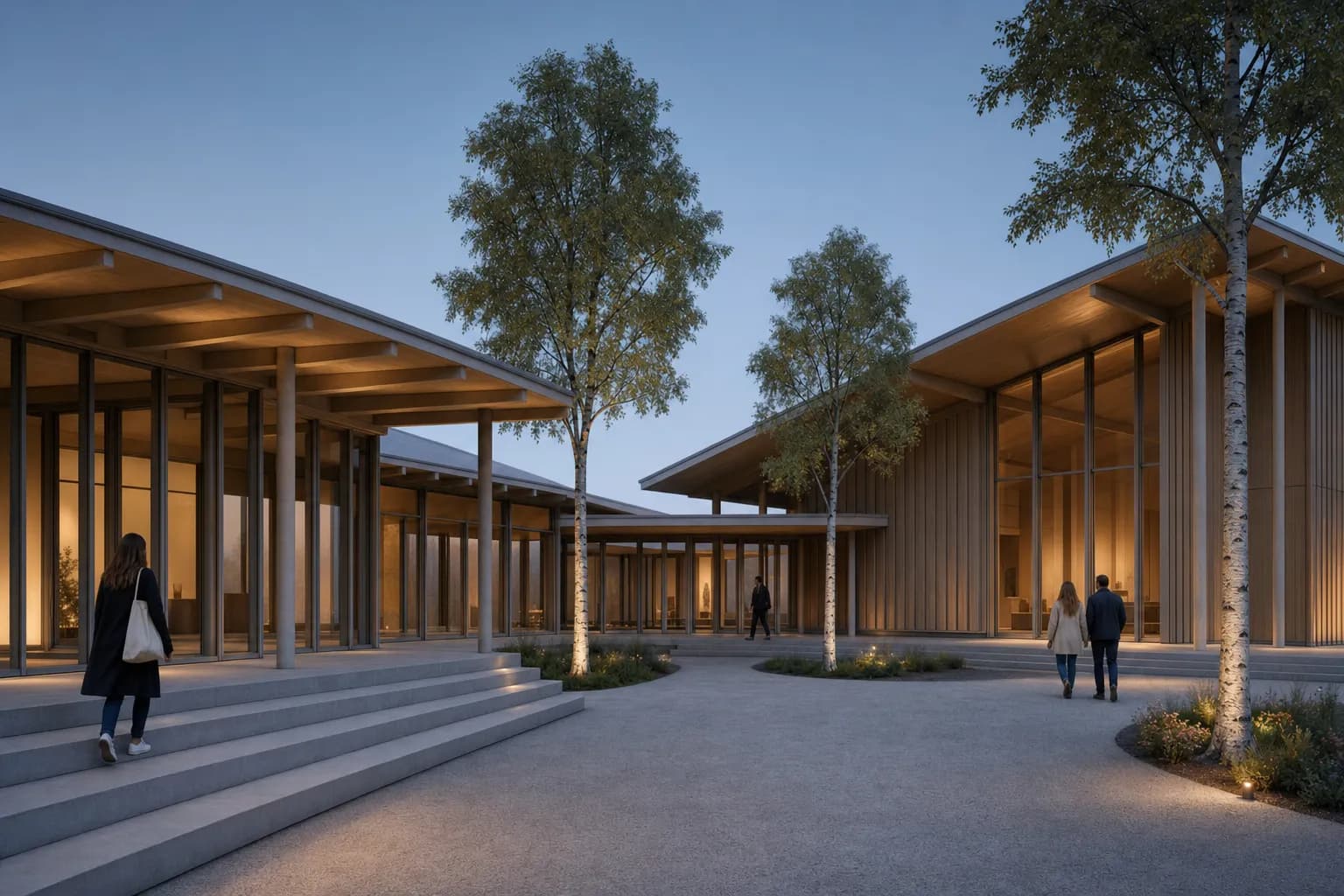
Choose AI rendering for rapid still-image studies from a brief, sketch, or model screenshot. Choose traditional 3D rendering when the team needs model-connected control, repeatable cameras, specified materials, animation, or a scene that stays editable. Neither route is best at every project stage.
AI helps an architect test atmosphere and direction before building a complete visualization scene. A conventional renderer earns its setup when several approved views must follow the same model and lighting system. Many studios use both. They explore options with AI, then carry selected decisions into a controlled 3D pipeline. The right choice follows the review question, not the most polished first image.
What is the difference between AI and traditional 3D rendering?
AI rendering interprets pixels, text, and references to generate an image. A traditional 3D renderer calculates an image from a prepared scene. That scene contains geometry, cameras, materials, lights, and assets.
Here, “traditional rendering” means conventional 3D visualization. It includes path-traced and real-time renderers. It does not mean hand watercolor or marker work. The wider architectural rendering techniques guide covers those methods.
The distinction is practical. AI starts closer to the desired image. Conventional rendering starts closer to the project model.
| Decision | AI rendering | Traditional 3D rendering |
|---|---|---|
| Starting point | Brief, sketch, or image | Prepared 3D scene |
| Early image | Less scene setup | More scene setup |
| Camera and geometry | Visually constrained, still generative | Driven by the scene |
| Materials and light | Prompted or reference-led | Assigned and adjusted in 3D |
| Repeated views | Each output needs source review | Shared cameras and scene state |
| Local revision | Image edit or regeneration | Scene edit, render, then post-production |
| Motion and walkthroughs | Not CAD Scene output | Available in suitable renderers |
| Best fit | Options and still studies | Controlled visualization delivery |
When should architects use AI rendering?
Use AI when the current question is visual and bounded. Early design reviews often need a direction, not a finished visualization scene.
AI works well for these tasks:
- comparing material character on one fixed view;
- testing daylight, dusk, or seasonal atmosphere;
- exploring landscape and entourage density;
- turning a clean model screenshot into a client-review still;
- revising a defined image region without rebuilding the whole scene;
- producing options across a mixed CAD and 3D software stack.
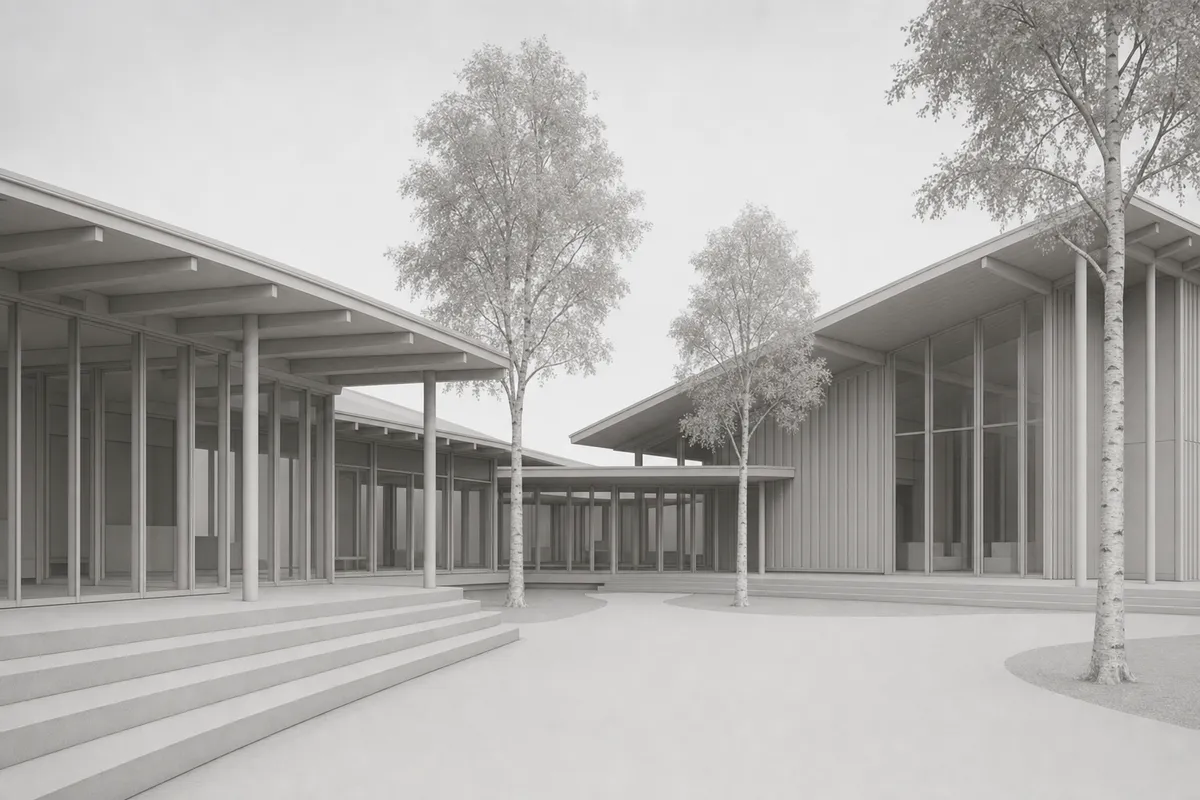
The source still matters. A screenshot can constrain the camera, crop, massing, and visible openings. It cannot describe hidden geometry or make generation deterministic.
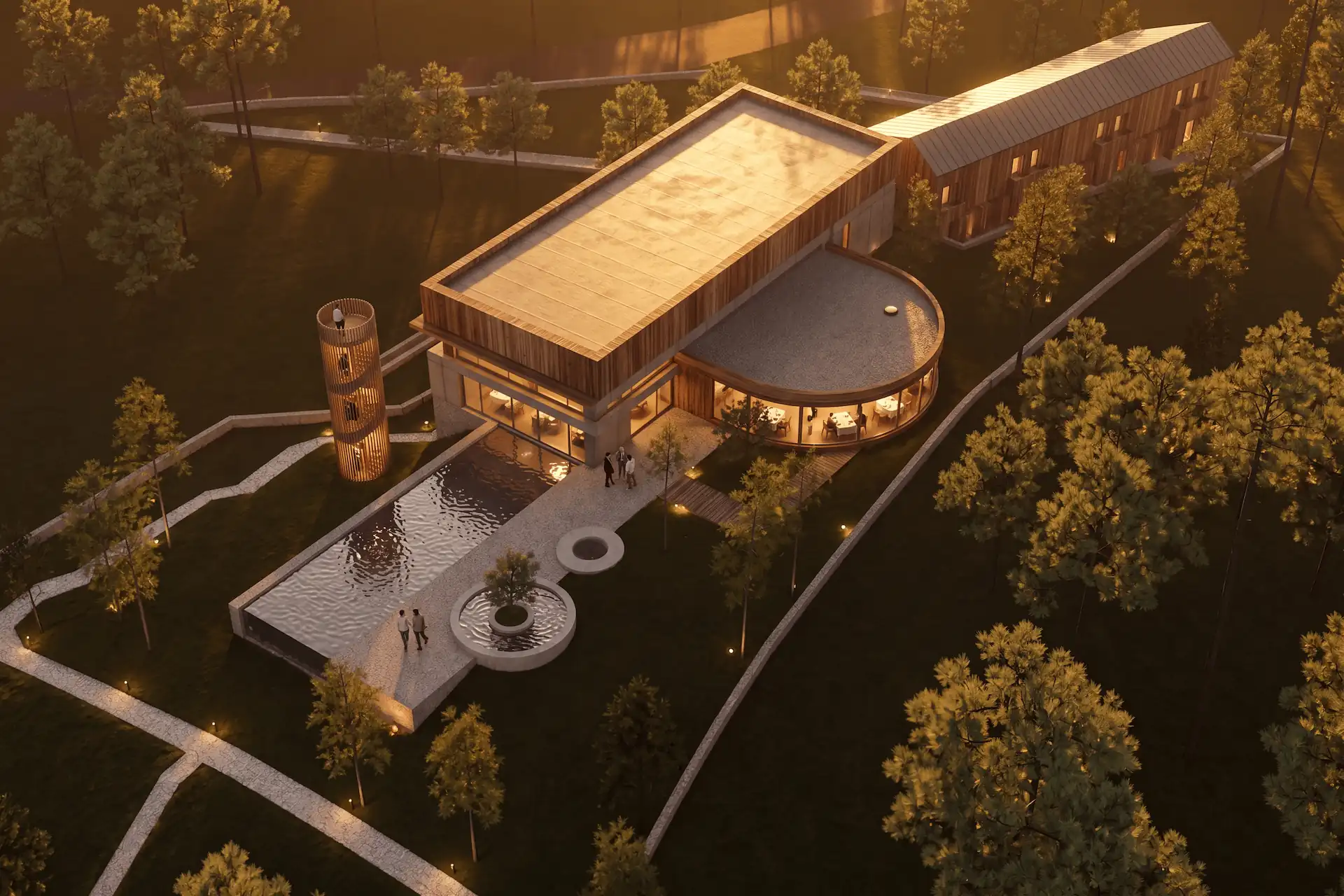
 Synthetic model view
 Concept study
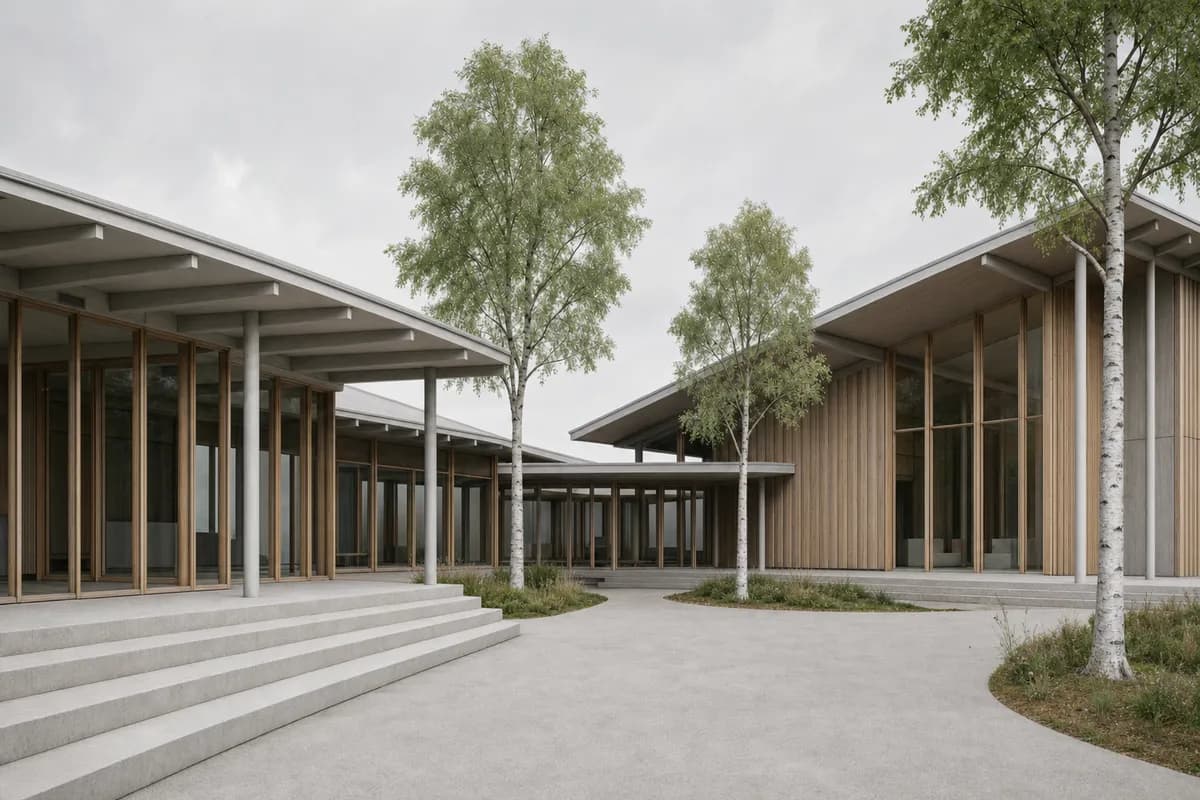
The pair keeps one camera and visible design. It demonstrates a review method, not universal retention. Check roof edges, mullions, columns, openings, and steps against the source.
Use the screenshot-to-render workflow when the view is already framed. The public render-retention method explains how to inspect camera, perspective, framing, and visible geometry.
Before / after
Test one fixed still before changing your production workflow.
When should architects use traditional 3D rendering?
Use a conventional renderer when control must remain in the scene. This becomes more valuable as the project develops and deliverables multiply.
Choose that route when:
- several cameras must follow one coordinated model;
- specified materials need mapped scale and repeatable response;
- lighting must come from placed sources and scene settings;
- animation, panoramas, or live walkthroughs belong in the brief;
- late model changes must update every connected view;
- custom assets and exact object placement matter;
- the visualization team needs render passes and controlled post-production.
Blender Cycles is a physically based path tracer for production rendering. Its scene exposes cameras, materials, lights, sampling, and light paths.
V-Ray supports physically based stills and animation across several CAD and 3D hosts. It also supports CPU, GPU, and hybrid rendering. Enscape keeps a navigable real-time view connected to a CAD or BIM model.
Lumion Pro builds a visualization scene around an imported or linked model. Its current outputs include images, animation, and panoramas. These products overlap, but their workflows are not identical. The D5 Render or AI rendering decision covers another connected real-time scene and portable still-study choice.
Prompt library · 14 promptsUltra-real photographyBrowse prompts
Can AI and traditional rendering work together?
Yes. A hybrid workflow can separate visual exploration from controlled delivery. The handoff needs a clear record of what was approved.
Fix the design source
Save the model state, camera, crop, and review question before making images.Explore one decision
Use AI to test a bounded material, lighting, landscape, or atmosphere direction.Record the accepted direction
Name the approved palette, light, context, and references without treating the image as a specification.Build the controlled scene
Assign verified materials, lights, assets, and cameras in the chosen 3D renderer.Compare before delivery
Check the final image against the model, drawings, approved study, and current project decisions.
Do not copy an AI image blindly into production. Extract the decisions the team actually approved. A warm timber direction is useful. An invented joint, light source, or planting condition is not.
The same principle works in reverse. A ray-traced or real-time base can move into an image editor for focused atmosphere or entourage studies. Keep the original render available for comparison.
How should a studio compare both workflows?
Test one project view that the team understands. Keep the review question, camera, crop, output size, and deadline fixed.
Judge the whole path to an accepted image:
- Record the setup needed before the first useful result.
- Request one material and lighting direction.
- Revise one defined part of the image or scene.
- Produce a second view if the project needs one.
- Check geometry, camera, materials, light, and artifacts.
- Record who can repeat the result after a model change.
- Check every required output, including motion or live review.
Do not compare a rough AI option with a finished production render. Compare each route against the same stage and decision. The best AI rendering software guide uses the same workflow-first logic for tool selection.
Which workflow fits each design stage?
Early concept work usually benefits from low setup and visible alternatives. AI, clay views, collage, and quick real-time images can all fit.
Developed design needs firmer geometry and coordinated materials. AI can still support bounded studies. A model-connected renderer becomes more useful as views and revisions accumulate.
Client review needs clear status. Label an image as a concept study when details remain open. Use the client-review checklist before asking for approval.
Final visualization needs the control required by the commission. That may be a prepared real-time scene, a path-traced pipeline, a reviewed hybrid, or a specialist visualization team. Use the method that can repeat the approved result.
What does AI rendering not replace?
AI rendering does not replace the source model, drawings, schedules, or technical analysis. It also does not supply hidden design information.
Keep these authorities separate:
- the model and drawings define project geometry;
- specifications and schedules define products and finishes;
- measured tools define daylight, energy, structure, and compliance;
- the image communicates a reviewed visual direction.
CAD Scene outputs images. Create, Enhance, and Edit share one project Composition and render history. They do not edit the CAD or BIM model. The guide to AI architectural rendering covers those modes and their limits.
Is AI rendering better than traditional 3D rendering?
Not for every task. AI suits rapid still-image studies. Traditional 3D rendering suits model-connected control, repeated views, motion, and controlled delivery.
Can AI replace V-Ray, Enscape, or Lumion?
AI can replace some early still-image tasks. It does not replace every model-connected camera, material, lighting, animation, panorama, or walkthrough workflow.
Should an architect use AI for final renders?
Use it only when the output meets the brief and passes architectural review. Keep the model, drawings, specifications, and measured analysis authoritative.
What is a practical hybrid rendering workflow?
Explore one bounded direction with AI, record the accepted decisions, build them in a controlled 3D scene, then compare the final image with both the source and study.
Sources reviewed
- V-Ray product and workflow overview, reviewed 2 September 2026
- Enscape real-time, material, review, and output features, reviewed 2 September 2026
- Lumion Pro model connection, scene, and output workflow, reviewed 2 September 2026
- Blender Cycles production-rendering documentation, reviewed 2 September 2026
- CAD Scene Product, Help, and render-retention method, reviewed 2 September 2026
Table of Contents
- What is the difference between AI and traditional 3D rendering?
- When should architects use AI rendering?
- When should architects use traditional 3D rendering?
- Can AI and traditional rendering work together?
- How should a studio compare both workflows?
- Which workflow fits each design stage?
- What does AI rendering not replace?
- Sources reviewed
Authors

- Name
- Vladimir Mindru
Table of Contents
- What is the difference between AI and traditional 3D rendering?
- When should architects use AI rendering?
- When should architects use traditional 3D rendering?
- Can AI and traditional rendering work together?
- How should a studio compare both workflows?
- Which workflow fits each design stage?
- What does AI rendering not replace?
- Sources reviewed
Authors
- Name
- Vladimir Mindru