- Published on
Architecture Render Prompts for Natural-Looking People
To prompt natural-looking people, give each figure a place and a task. Keep the count restrained. Anchor bodies to furniture, doors, curbs, and lanes. Describe who faces whom. Blur only subjects that move.
“Add realistic people” leaves too much unresolved. It says nothing about occupation, scale, circulation, camera visibility, or movement. A useful prompt briefs those decisions separately. The result still needs review.
Why do people look unnatural in architecture renders?
People look misplaced when their role in the scene is unclear. A vague prompt may fill empty areas rather than show credible occupation. Figures can appear too large, face the camera, block circulation, or repeat one pose.
The word “realistic” does not solve those problems. Natural occupation comes from spatial logic. A diner belongs to a chair and table. A server belongs to a clear aisle. A pedestrian belongs to a pavement route.
Occupation matters more than decoration
Treat every person as part of the use brief. Ask what they are doing and why they are there. Give each figure one ordinary action.
Good actions are easy to read:
- Reading beside a window
- Sharing a meal across a table
- Carrying plates through a service aisle
- Waiting at a curb
- Walking along a pavement
Avoid broad instructions such as “make the scene lively.” They often increase density without improving behaviour. Name the occupation instead.
Architectural anchors establish scale
Place people beside objects with known proportions. In an interior, use sofa seats, worktops, doors, tables, and glazing. Outside, use storefronts, curbs, lanes, and vehicles.
Depth matters too. A person across the street should read smaller than someone near the camera. State near, middle, and far positions when the scene includes several depth planes.
The camera controls human detail
Foreground faces attract attention. They can turn an architectural image into a portrait. Mid-ground side and back views keep the space primary.
Partial occlusion can also help. A chair, table, planting bed, or parked object can cover part of a figure naturally. Do not force every body into a complete, camera-facing silhouette.
What is the seven-part formula for prompting people?
Build the people clause in one fixed order:
Add [count] people at [placement and scale anchors]. They are [activity]. They relate through [orientation or shared task]. Show them [camera visibility and depth]. Use [motion treatment]. No [exclusions].
For screenshot-based work, add one source constraint first:
Keep the camera, crop, and visible geometry from the source.
This follows the wider screenshot to render workflow. Prepare the view with the screenshot for AI rendering checklist before writing a detailed people brief.
1. Count
Use a concrete number or a narrow range. Count establishes density before the model interprets the rest of the scene.
“Exactly two people” is clearer than “a few people.” Exact wording sharpens the request. It does not guarantee the output count.
2. Placement
Name the zone and its scale anchors. Use phrases such as “at the window table” or “on the far pavement.” Avoid placing figures in empty image coordinates without architectural context.
3. Activity
Give each person or group one visible task. Choose actions that fit the room, time, and circulation. Small actions usually read more naturally than dramatic gestures.
4. Relationship
Describe orientation rather than identity. Diners can face their companions. Staff can focus on service. Two pedestrians can walk together.
Relationship can also connect a person to the setting. Someone may look through the glazing or wait beside a curb.
5. Camera visibility
State whether figures appear in the foreground, mid-ground, or background. Name side or back views when faces should stay secondary. Use full-body or three-quarter views only when the frame needs them.
6. Motion
Name the moving subject and the amount of blur. Direction should follow travel. Keep fixed architecture sharp.
Do not use motion blur to hide poor anatomy. Establish scale and occupation first. Add movement after the still composition works.
7. Exclusions
End with a short boundary list. Exclude extra people, direct eye contact, duplicated figures, close-up faces, unwanted crowds, and whole-frame blur.
| Prompt variable | Vague instruction | Controlled instruction |
|---|---|---|
| Count | Add people | Add exactly two people |
| Placement | Put them in the room | Place one at the sofa and one beside the glazing |
| Activity | Make them natural | One reads while one looks toward the fjord |
| Visibility | Show the people | Keep both in the mid-ground from the side or back |
| Motion | Add motion blur | Blur only the walking server’s lower legs |
How do you prompt two people in a fjord living room?
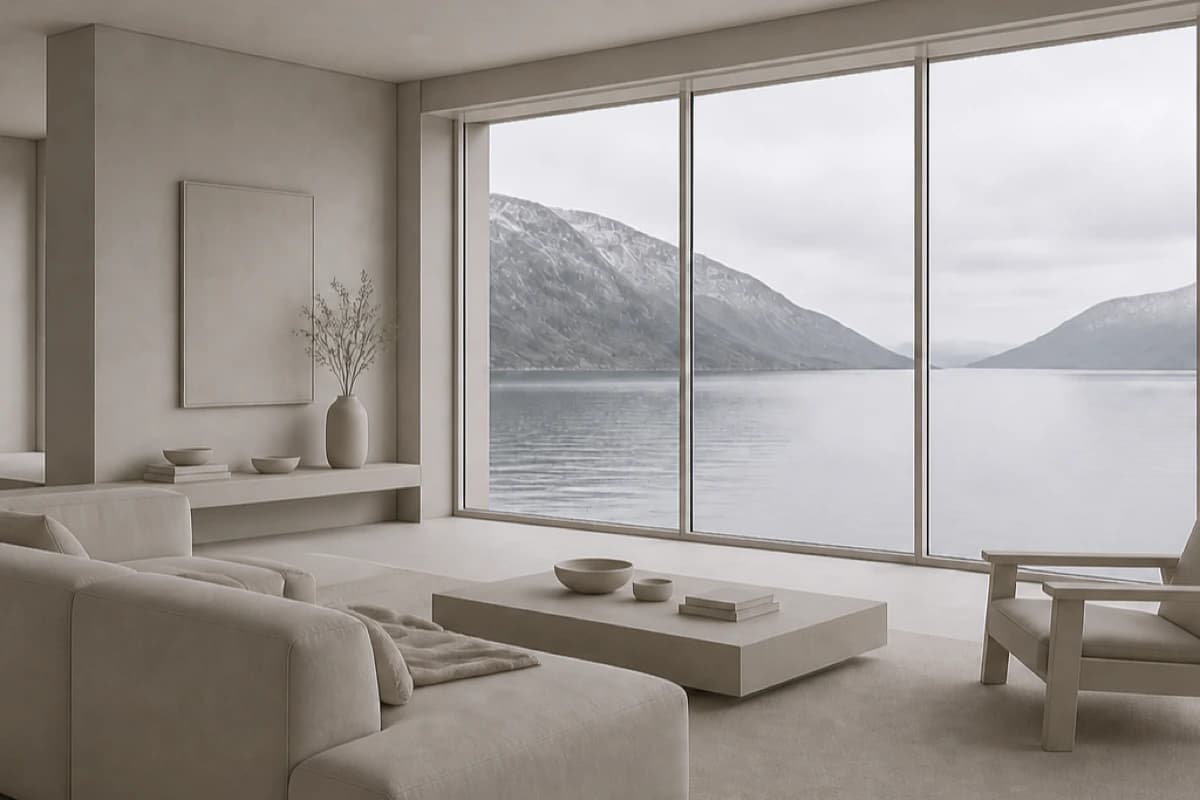
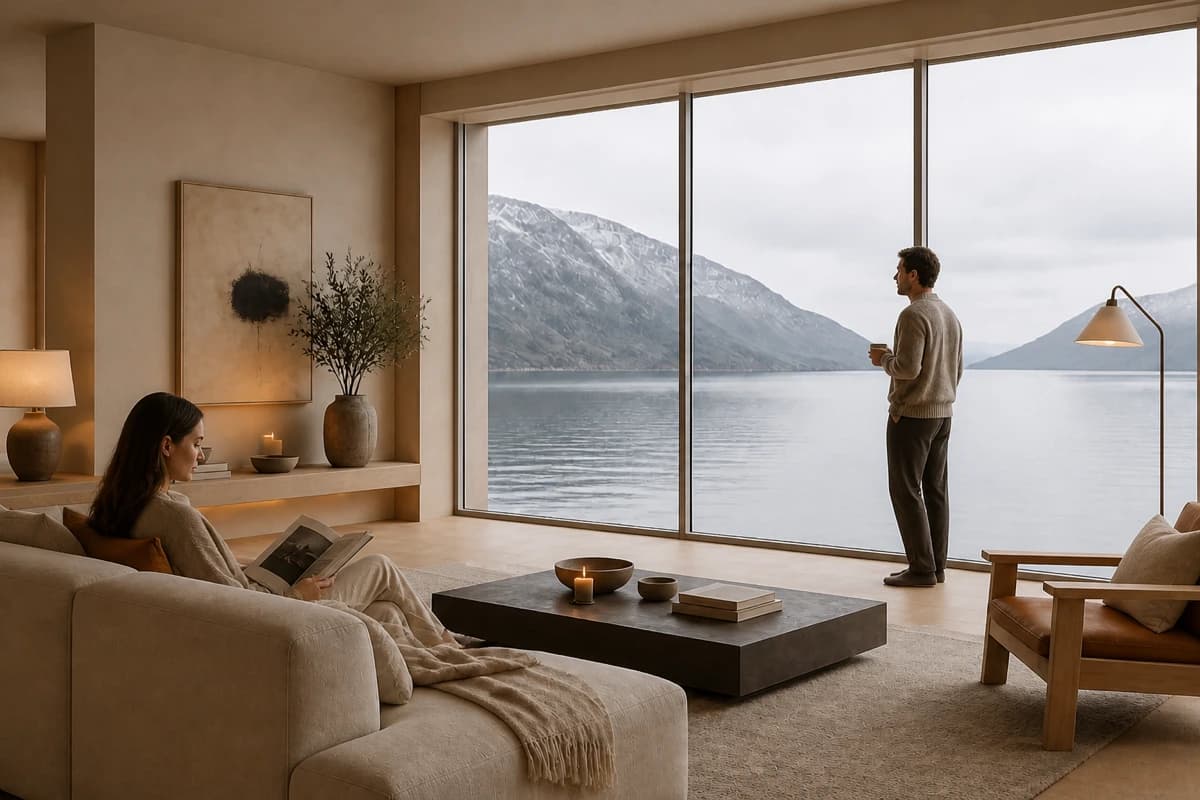
A quiet living room needs very little occupation. Two figures can establish scale and use without competing with the view. Materials, light, and furniture should still carry the image.
For broader room guidance, use interior rendering with AI. Choose the finish through architectural rendering styles, not through extra people.
Exact living-room prompt
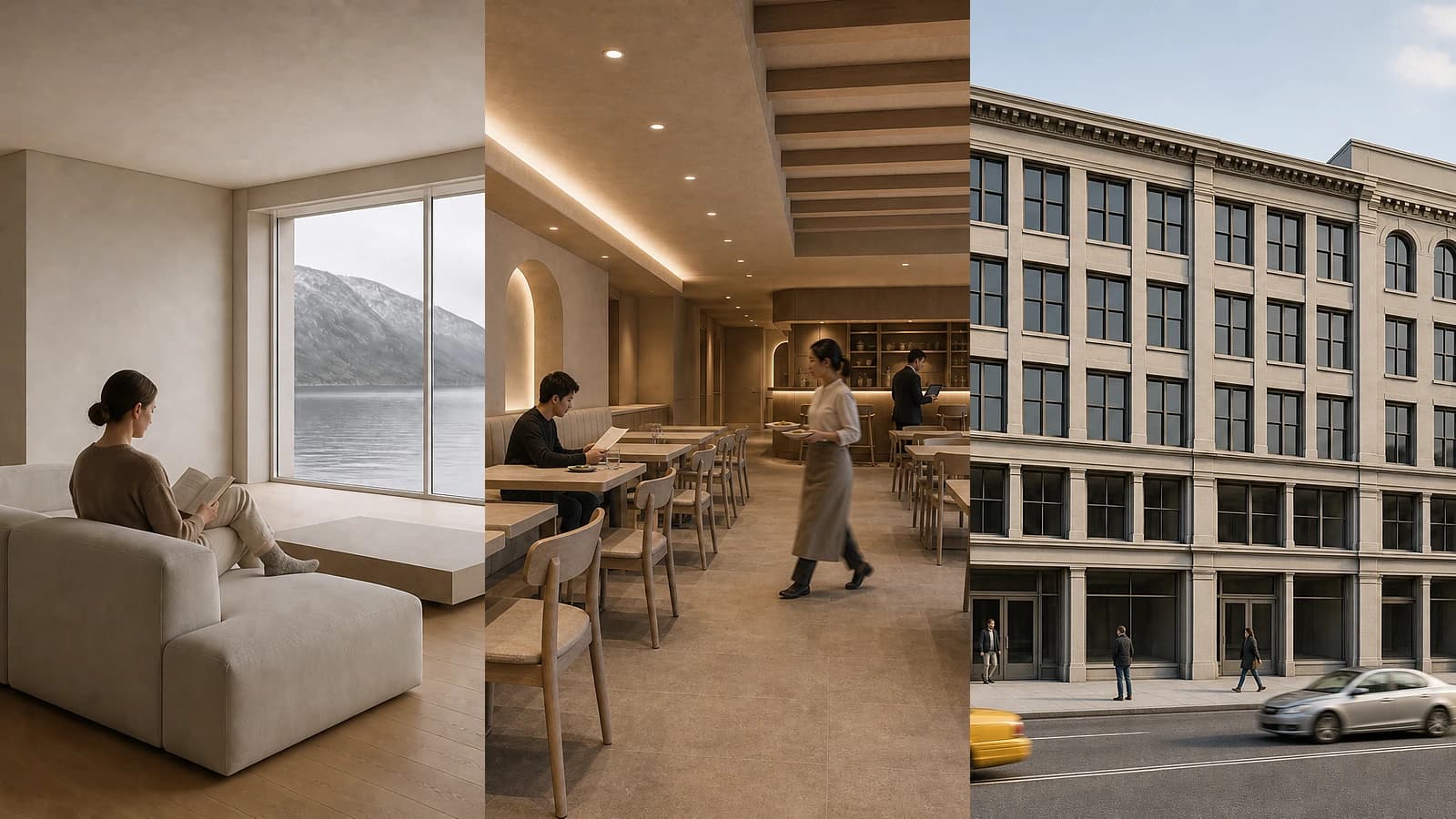
Keep the camera, crop, room geometry, glazing, furniture layout, and fjord view from the source. Render a restrained Nordic living room with pale oak, warm wool, limewashed walls, and soft overcast afternoon light. Add exactly two adults, scaled to the sofa, glazing height, and room depth. Seat one on the sofa near the window, reading, with legs and feet resting naturally. Place the other beside the glazing, looking toward the fjord. Their body orientations suggest quiet companionship without a staged interaction. Keep both figures in the mid-ground, seen from the side or back. Keep faces understated and secondary to the room. Use slight natural movement only in hands and fabric. Keep the room spacious. No additional people, crowd, direct eye contact, duplicated figures, close-up faces, or posed lifestyle gestures.
Why each phrase is present
- “Keep the camera…” protects the source composition.
- “Restrained Nordic…” defines materials and light without changing use.
- “Exactly two adults…” limits occupation and supplies scale anchors.
- “Seat one…” gives the seated figure a plausible task.
- “Place the other…” connects the second figure to the view.
- “Quiet companionship…” adds relationship without personal identity.
- “Mid-ground, seen from the side or back” keeps architecture primary.
- “Slight natural movement…” avoids a frozen pose without blurring the room.
- The exclusions prevent extra people and portrait emphasis.

Check the first render against the sofa and glazing. Confirm that both figures sit within the room depth. Look for extra people in reflections. Reject malformed hands, floating feet, or a face that takes over the frame.
How do you prompt believable restaurant occupation?
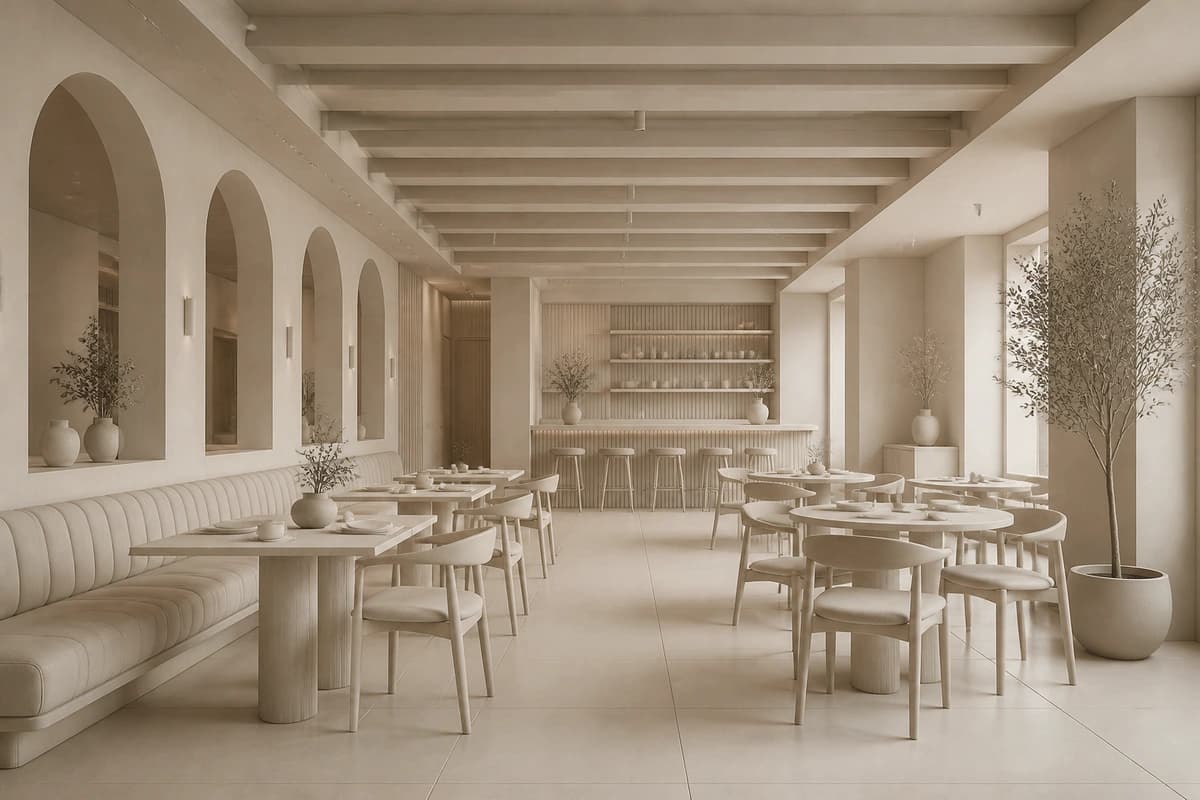
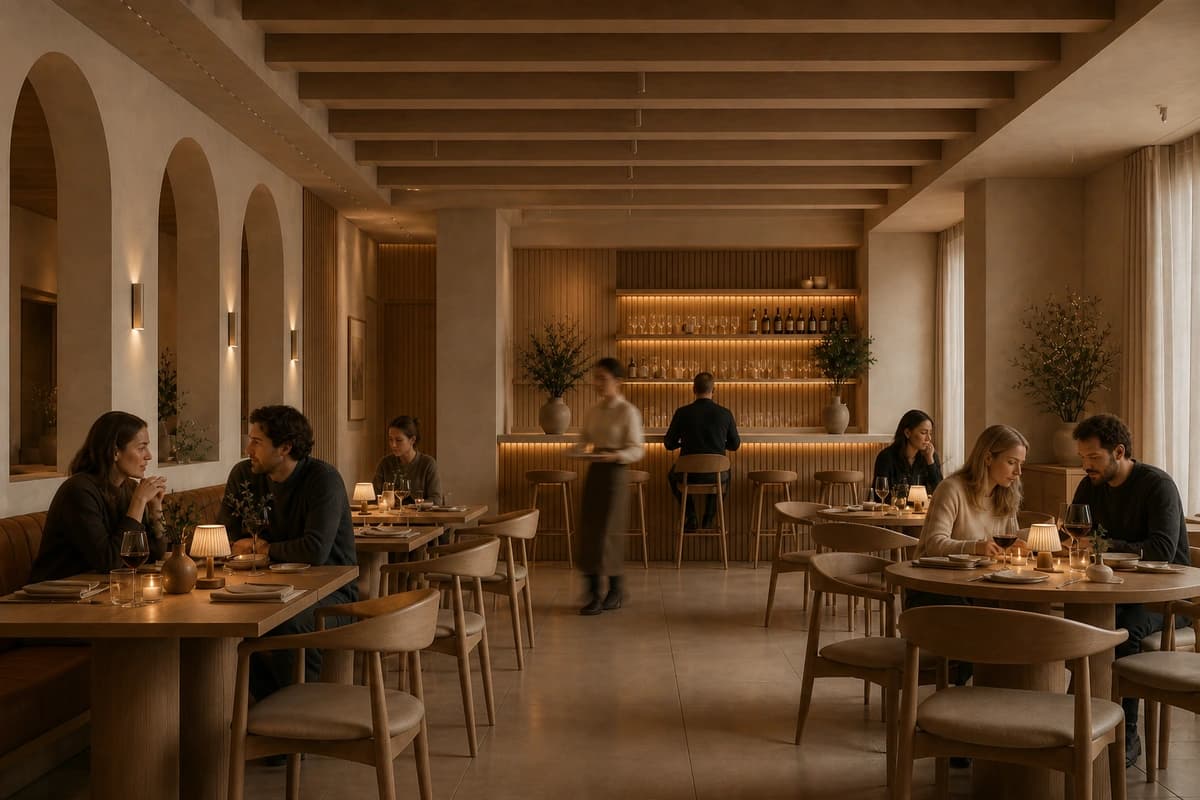
Restaurant occupation needs distinct roles. Diners should relate to tables and companions. Staff should follow service routes. Empty tables are part of the brief.
A low count does not make the space feel closed. It makes each action legible. The prompt below uses five diners and two staff. Most of the room stays open.
Exact restaurant prompt
Keep the camera, crop, room geometry, table layout, and circulation aisles from the source. Render a warm contemporary restaurant with timber, textured plaster, linen upholstery, and soft evening light. Add exactly seven people: five diners and two service staff. Seat two diners at a window table in quiet conversation. Seat two at a rear table sharing a meal. Place one diner alone at the banquette, reading the menu. Place one server in the clear aisle carrying two plates. Place one host beside the service station checking reservations. Keep table groups oriented toward their companions. Keep staff focused on their tasks. Nobody faces the camera. Keep every figure in the mid-ground or background, scaled to chairs, tables, doors, and aisle width. Use slight walking blur on the server’s lower legs only. Keep every other person and the room sharp. Leave most tables empty. No queue, bar crowd, raised-glass pose, repeated figures, extra people, or close-up faces.
Why each phrase is present
- The source constraint protects tables and circulation.
- Materials and evening light define the finish separately.
- “Five diners and two service staff” separates guests from workers.
- Three dining arrangements prevent one repeated pose.
- Server and host tasks make service behaviour legible.
- Group orientation creates social logic without identity details.
- Furniture and aisle anchors guide scale.
- Server-only blur shows movement while diners stay readable.
- “Leave most tables empty” keeps occupancy restrained.
- The exclusions block crowd filler and staged celebration.

Check seated bodies against chairs and table height. Confirm that the service aisle remains clear. Review hands, plates, tableware, and chair contact. A credible room can still contain a failed local detail.


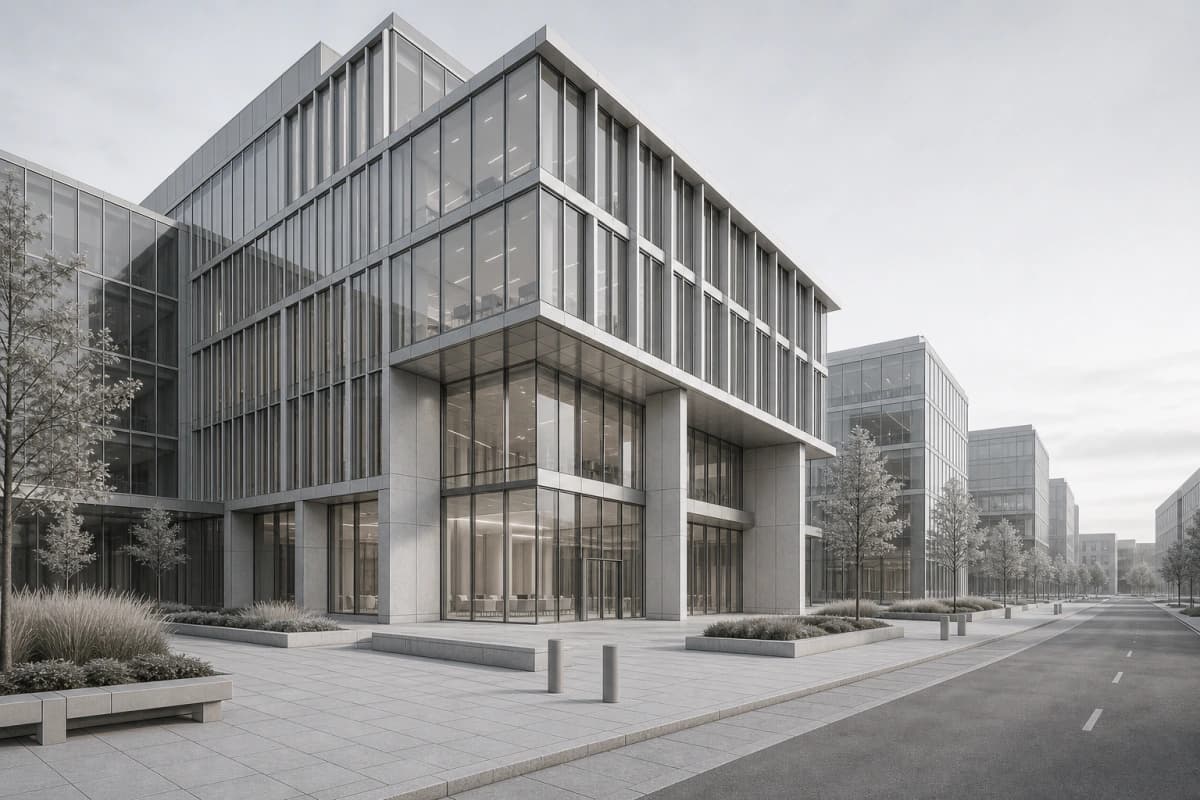
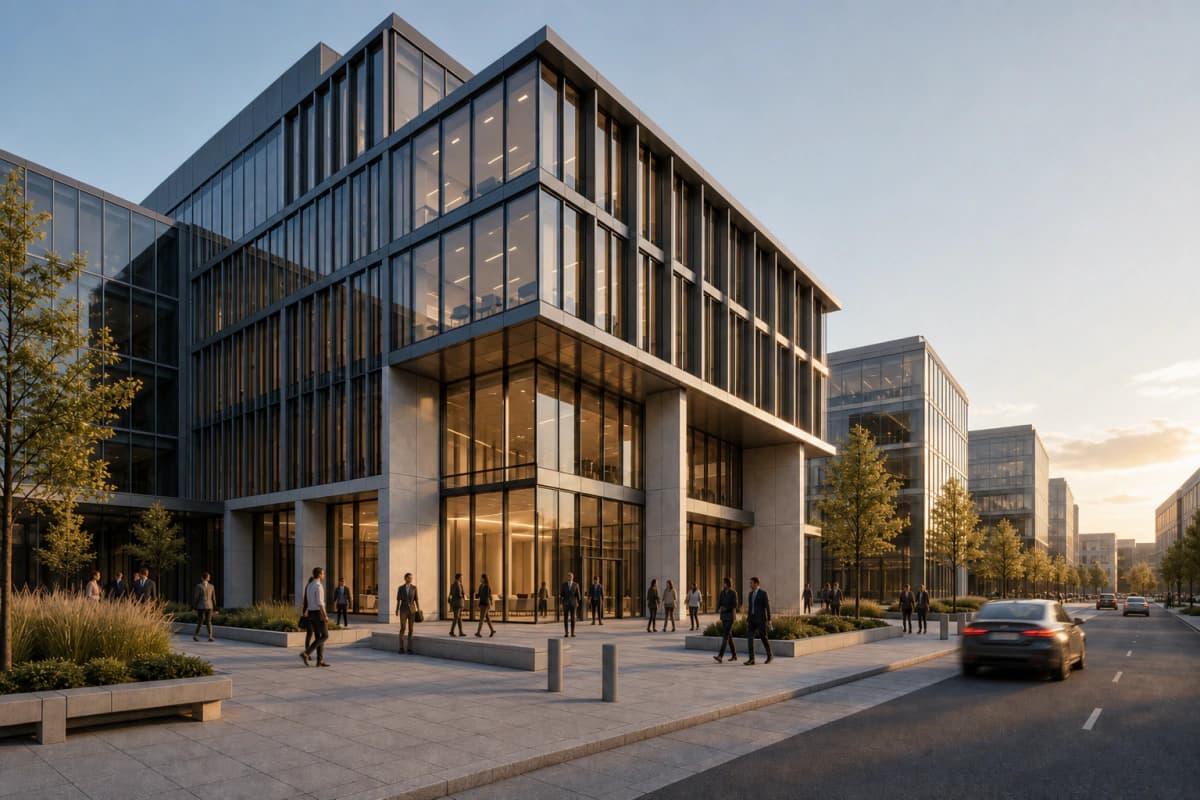
Before / after
Try the seven-part people brief on your own view.
How do you prompt a New York street with controlled motion?
A street scene needs scale across several depth planes. The facade remains the subject. Pedestrians and vehicles explain pace, use, and distance.
Place near and far figures separately. Connect vehicles to lanes and the road surface. Add blur only after those relationships read clearly.
Exact New York street prompt
Keep the camera, crop, building geometry, storefront rhythm, pavement, curbs, and road layout from the source. Render a street-level New York-style mixed-use building in clear late-afternoon light. Add exactly nine pedestrians and three moving cars. Place six pedestrians on the near pavement as separated pairs and individuals: two walking together, one leaving a storefront, one waiting at the curb, and two moving in opposite directions. Place three pedestrians on the far pavement as smaller secondary figures. Keep every pedestrian on the pavement and scaled to doors, storefronts, curb height, and distance from the camera. Show candid side and back views. Nobody poses or looks toward the camera. Add one yellow taxi and two compact sedans, aligned with their travel lanes and the road surface. Apply mild directional motion blur only to the taxi, the nearest sedan, and the legs of the two closest walking figures. Keep the building, storefronts, curb, and remaining pedestrians sharp. Blur must follow the direction of travel and preserve readable silhouettes. No crowd, people in the road, oversized foreground figures, duplicated pedestrians, duplicated vehicles, warped cars, or heavy light streaks.
Why each phrase is present
- The source constraint protects facade and street geometry.
- “Street-level New York-style” defines place and camera intent.
- Nine pedestrians and three cars establishes controlled density.
- Near-pavement activities create varied movement without a crowd.
- Far-pavement figures establish depth and scale.
- Doors, curbs, and distance provide clear visual anchors.
- Side and back views avoid portrait bias.
- Lane alignment keeps vehicle movement credible.
- Named blurred subjects prevent whole-frame softness.
- Directional blur connects the effect to travel.
- The exclusions block traffic errors and repeated subjects.

Review pedestrian size from near pavement to far pavement. Check that every foot meets the ground. Cars should fit their lanes and touch the road surface. Keep facade edges, storefronts, and curbs sharp.
Motion blur is a visual treatment. It does not prove a physically measured camera setting. The architectural rendering techniques guide explains where image-making methods offer different levels of control.
How should you iterate people without losing the scene?
Correct people in a fixed order. Start with count and scale. Move to activity and orientation. Add motion last.
Compare with the source
Check the camera, architecture, furniture, pavement, and road before judging the figures.Name one failed variable
Choose count, placement, scale, activity, visibility, or motion. Do not rewrite everything.Make one correction
Replace one prompt phrase or edit the affected region while keeping the rest fixed.Review the full frame
A local correction can introduce extra people, reflections, blur, or geometry drift elsewhere.Stop when occupation reads
Do not add people simply because an area remains visually quiet.
Pass one: count, placement, and scale
Ignore small pose details until the density works. Confirm that each figure has a valid zone. Compare body size with furniture, openings, curbs, and vehicles.
Pass two: activity and orientation
Correct one figure or group at a time. Keep the camera, materials, and light fixed. Use concise substitutions such as “reading the menu” or “walking toward the crossing.”
Pass three: movement
Name the moving subjects. State the direction and blur limit. Keep static people and architecture sharp.
This controlled sequence also makes option review clearer. The guide to renders for client review uses the same principle. Keep one camera and change one visible decision at a time.
What should you check before using the render?
Read the people as part of the plan before judging atmosphere.
- Match the requested count.
- Check scale against furniture, doors, curbs, and lanes.
- Confirm feet meet floors and pavements.
- Confirm seated bodies meet chairs and benches.
- Keep circulation and service routes open.
- Check that each activity belongs in the setting.
- Check orientation within each group.
- Keep faces secondary unless the brief requires otherwise.
- Reduce figure size consistently with depth.
- Keep motion local and directionally coherent.
- Remove duplicated people, vehicles, and gestures.
- Reject extra limbs, warped hands, and broken contact.
- Compare important architecture with the source.
- Remove invented readable brands, signs, and licence plates.
Photoreal finish does not validate geometry or occupation. Use the source model and drawings as the design authority. The broader AI architectural rendering guide covers source checks, limits, and review.
FAQ
Questions about prompting people
How do I prompt natural-looking people in an architecture render?
Specify count, placement, activity, relationship, camera visibility, motion, and exclusions. Anchor every figure to furniture, circulation, doors, curbs, or lanes.
How many people should I add to an architectural visualization?
Use the fewest people needed to explain scale and occupation. A quiet room may need one or two. A restaurant or street needs a count tied to its visible zones.
How do I stop people from looking posed?
Give each figure an ordinary task. Use side or back views, orient groups toward each other, and keep direct eye contact out of the brief.
How do I prompt believable people in a restaurant render?
Separate diners from staff. Assign each group a table or service task, preserve clear aisles, and state that most tables should remain empty.
How do I add motion blur without blurring the building?
Name each moving subject and the direction of travel. Request mild blur only on those subjects while keeping the architecture and static figures sharp.
Can an AI render keep an exact number and position of people?
A precise prompt can constrain count and placement, but it cannot guarantee them. Review each output for extra figures, changed positions, scale errors, and artifacts.
Table of Contents
- Why do people look unnatural in architecture renders?
- What is the seven-part formula for prompting people?
- How do you prompt two people in a fjord living room?
- How do you prompt believable restaurant occupation?
- How do you prompt a New York street with controlled motion?
- How should you iterate people without losing the scene?
- What should you check before using the render?
- FAQ
Authors

- Name
- Vladimir Mindru
Previous Article
Table of Contents
- Why do people look unnatural in architecture renders?
- What is the seven-part formula for prompting people?
- How do you prompt two people in a fjord living room?
- How do you prompt believable restaurant occupation?
- How do you prompt a New York street with controlled motion?
- How should you iterate people without losing the scene?
- What should you check before using the render?
- FAQ
Authors

- Name
- Vladimir Mindru