
Style Atlas
Explore 62+ architectural rendering styles
Find references across regional traditions, historical movements, and contemporary looks. Every style uses the same 3D scene, so you can compare the look without the building changing.
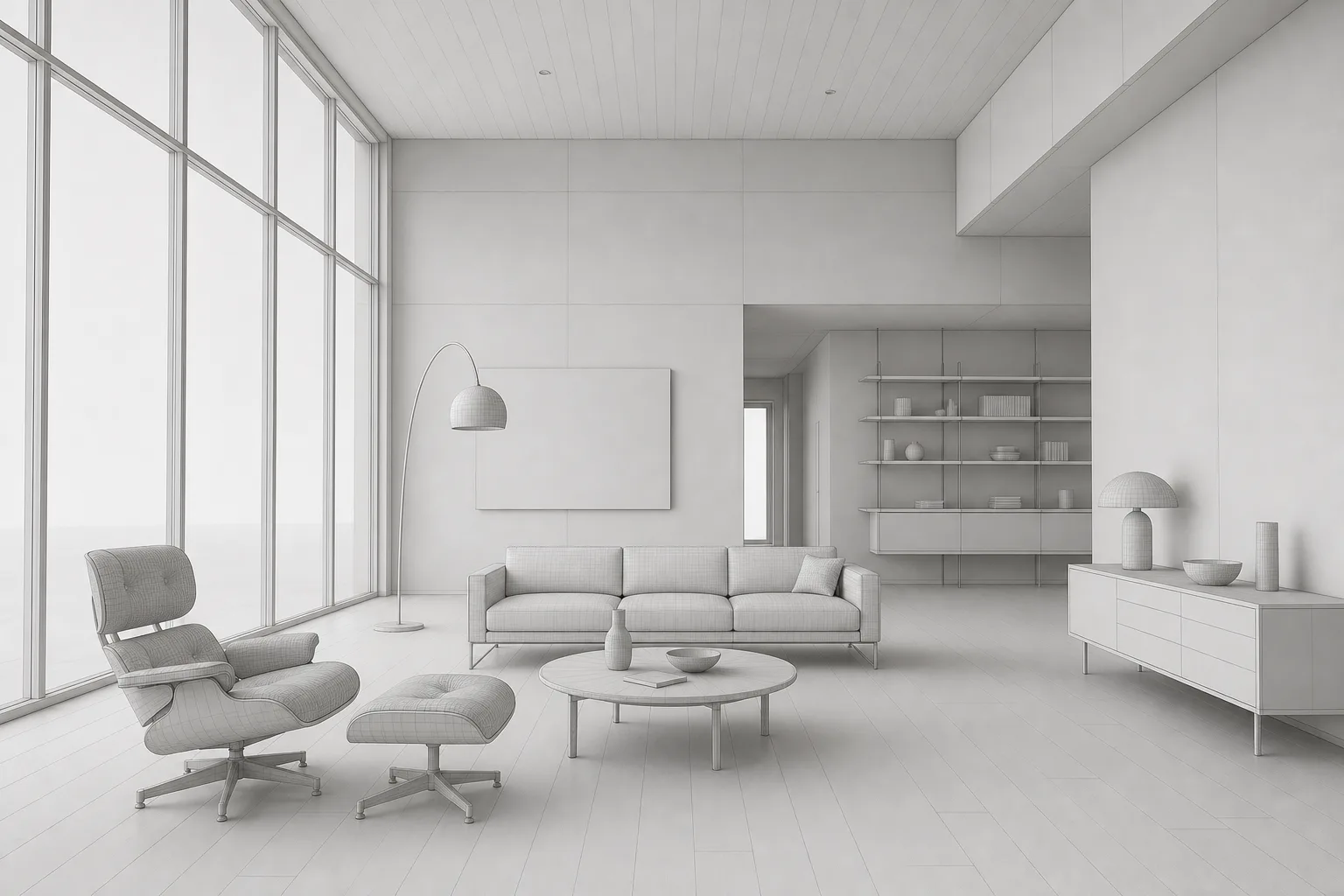 One scene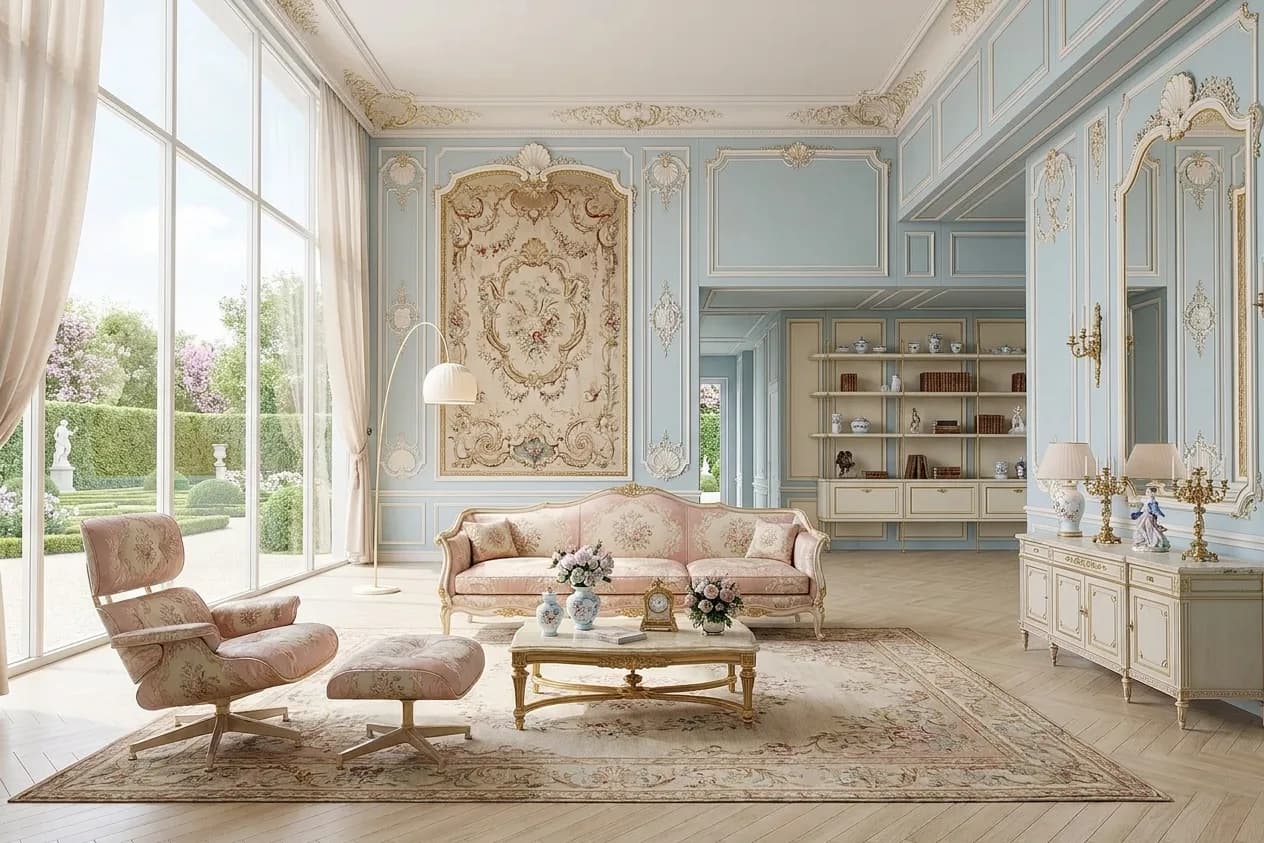
Compare the style, not the building
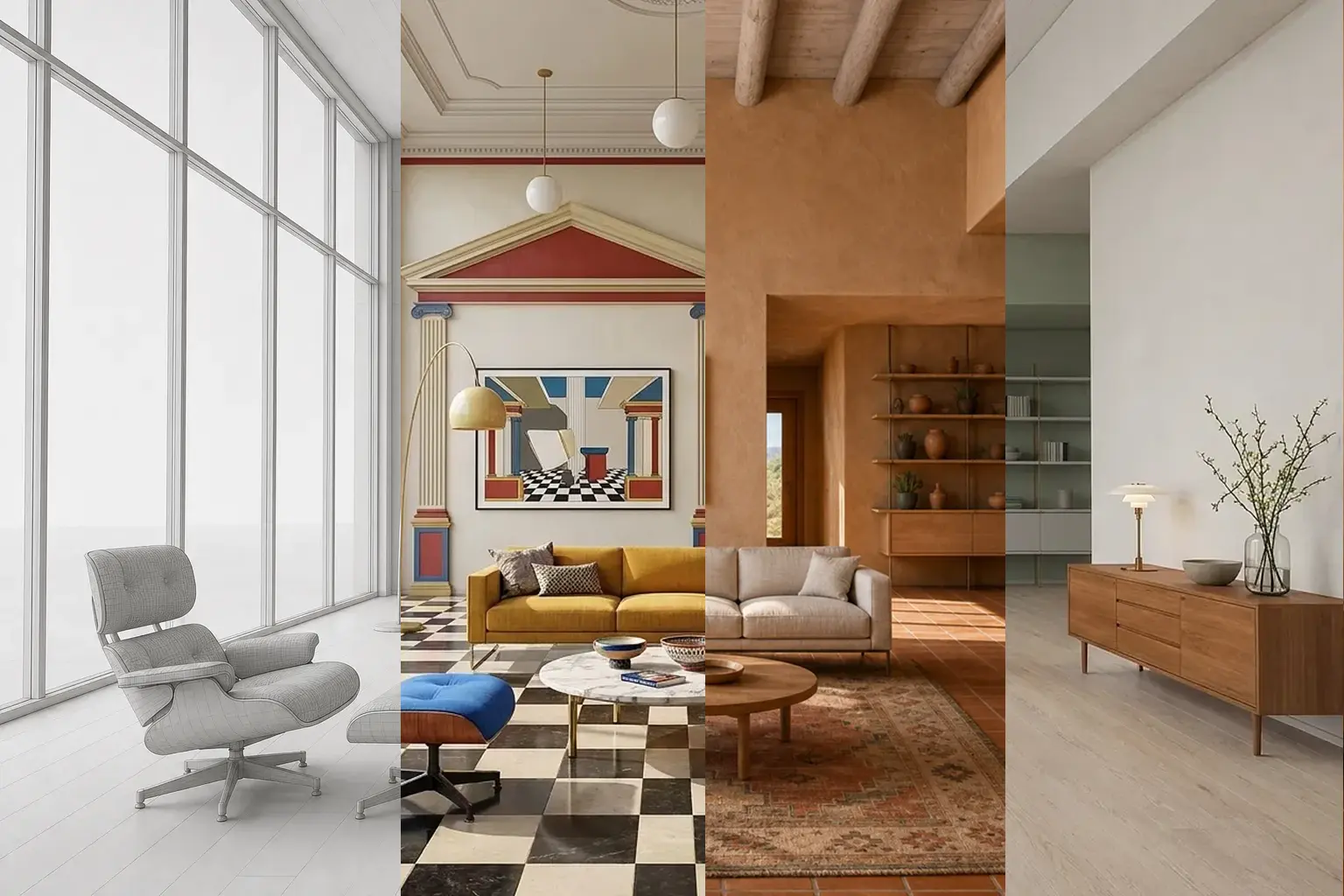
Place two architectural rendering styles side by side, or compare one with the bare 3D scene. The camera and geometry stay fixed.
Bare scene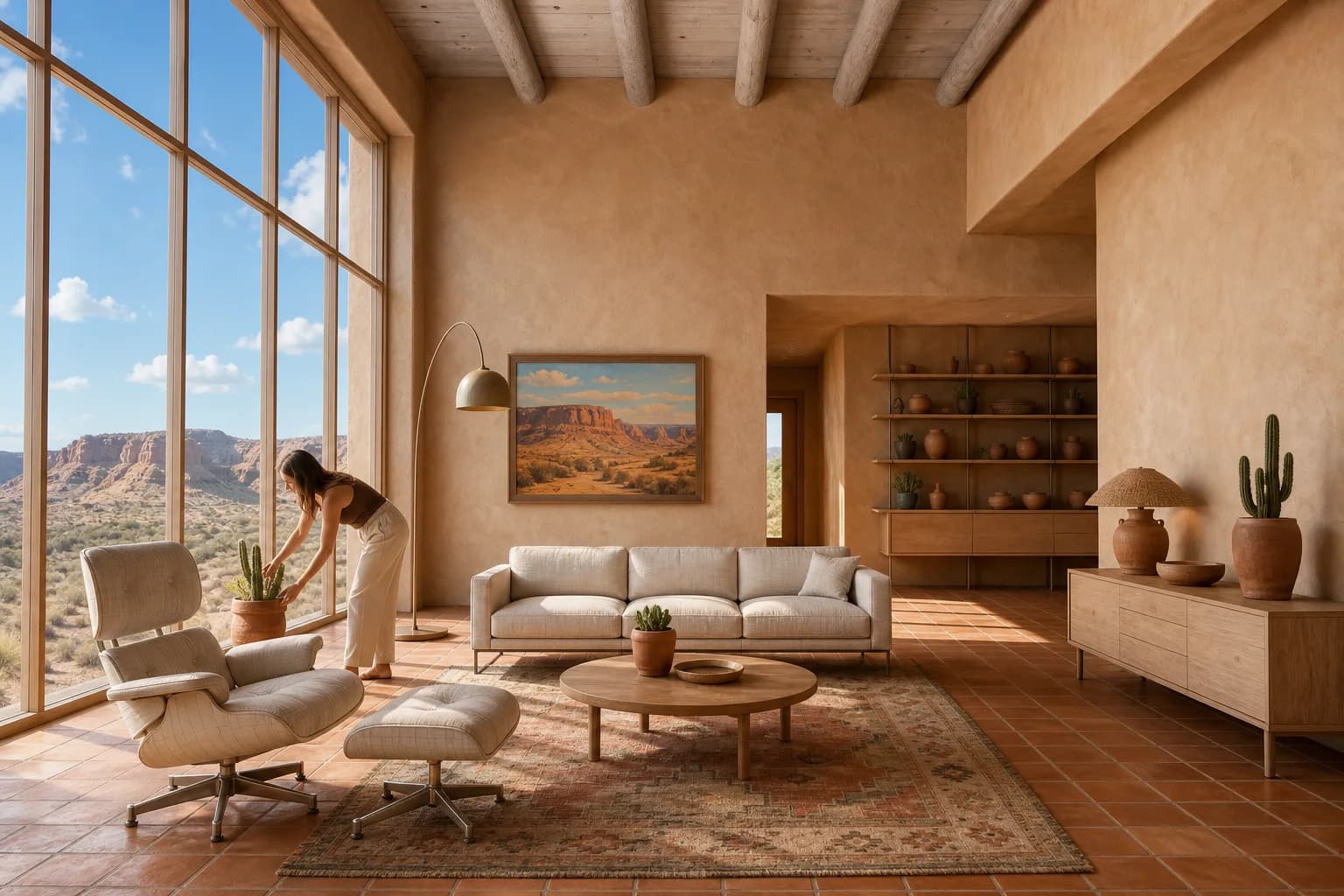 Desert Adobe
Desert Adobe. Hand-built earthen walls with rounded corners and deep punched openings, under harsh Southwestern midday sun. Ancient, soft-edged, and rooted in its site.
Find the right architectural rendering style
Search 62 regional, historical, and contemporary styles. Filter by region, era, mood, season, or light. Open any style for its visual cues and guidance on when to use it. For more help choosing, read the architectural rendering styles guide.
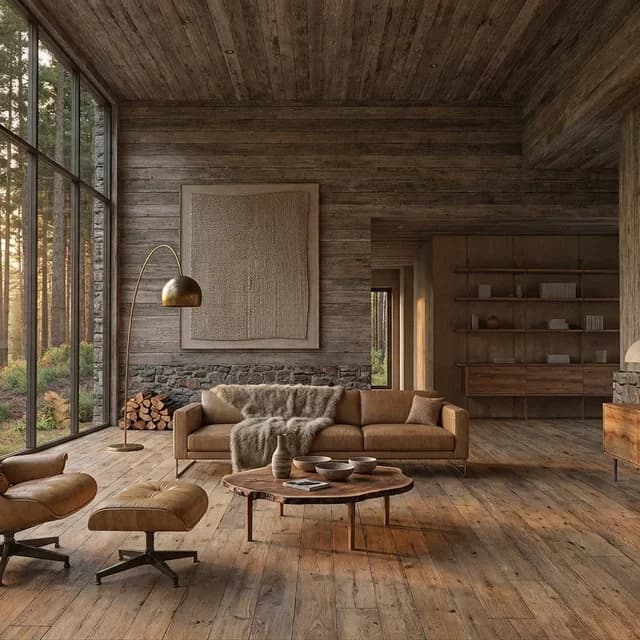
Eco-Lodge
A low-impact, nature-integrated look that blends modern minimalism with rustic, organic materials. Forms are horizontal and recessive, yielding to the landscape rather than commanding it.
Pacific Northwest · Contemporary · Golden hour
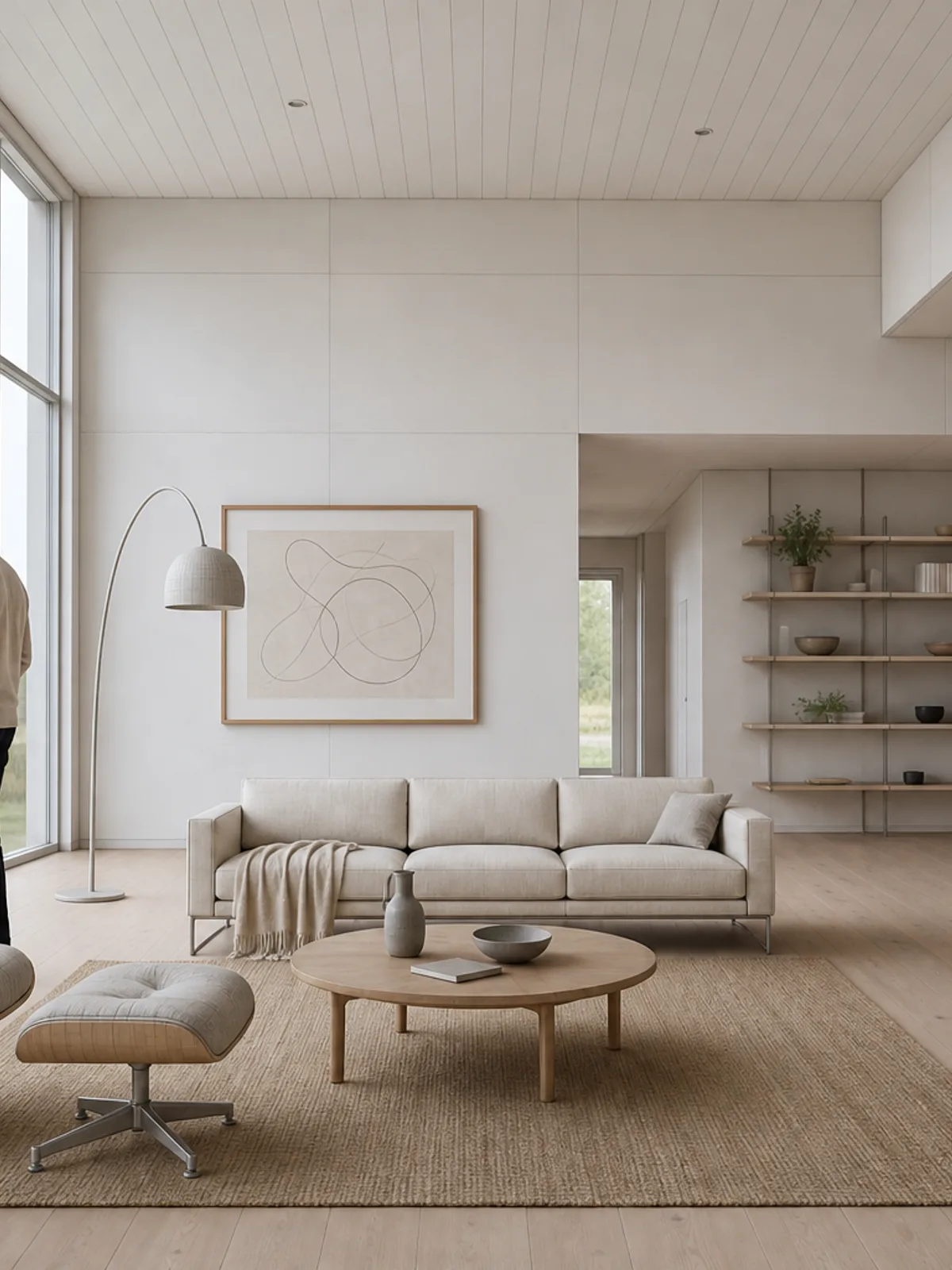
Nordic Calm
Pared-back Scandinavian restraint: clean low forms, wide openings, and surface honesty under a high, even sky. The space reads as if it has always been there.
Scandinavia · Contemporary · Overcast
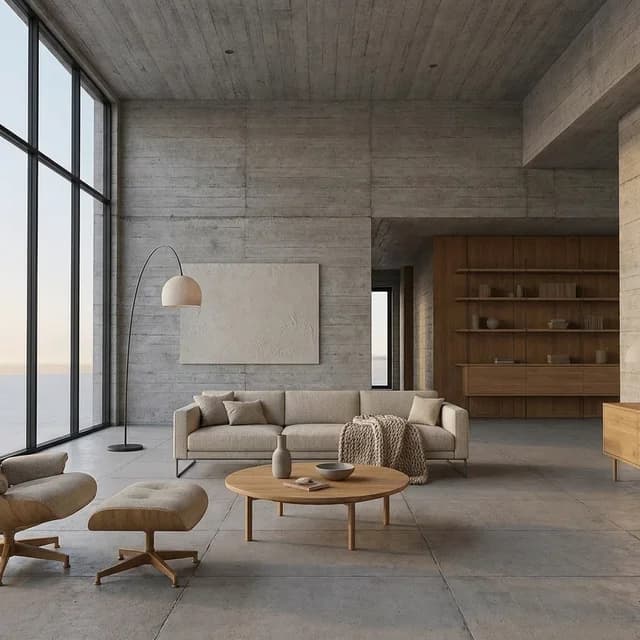
Brutalist Concrete
A sculptural language in raw board-formed concrete, softened by warm oak, wool textiles, greenery, and gentle daylight. Deep recesses and tactile surfaces retain architectural presence without severity.
Global · Late Modern · Daylight
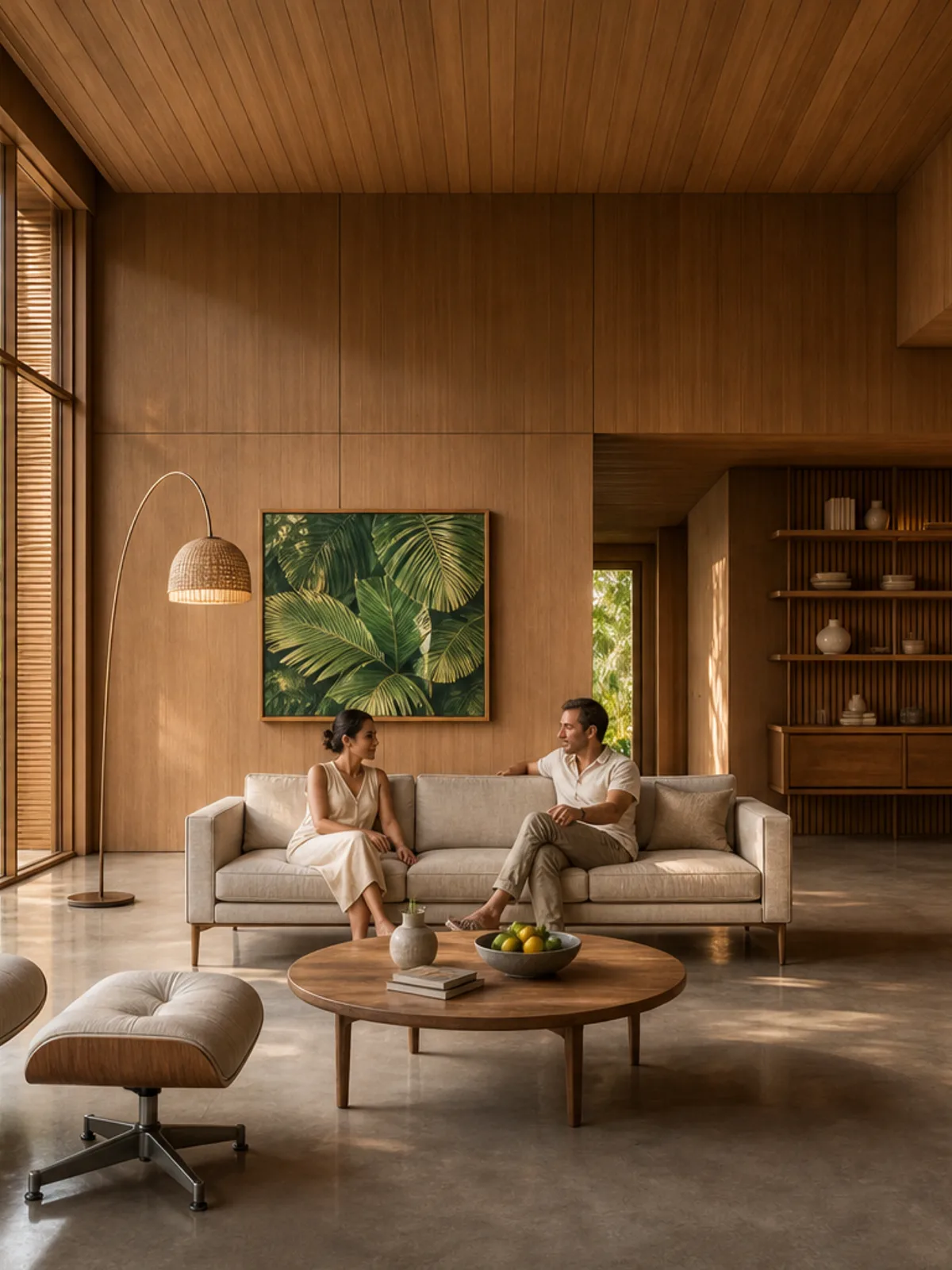
Tropical Modern
An open pavilion vocabulary in the Bawa lineage: deep oversailing roofs, slender timber posts, and walls that dissolve into louvers. Air, shade, and landscape do the enclosing.
Tropics · Mid-century · Golden hour
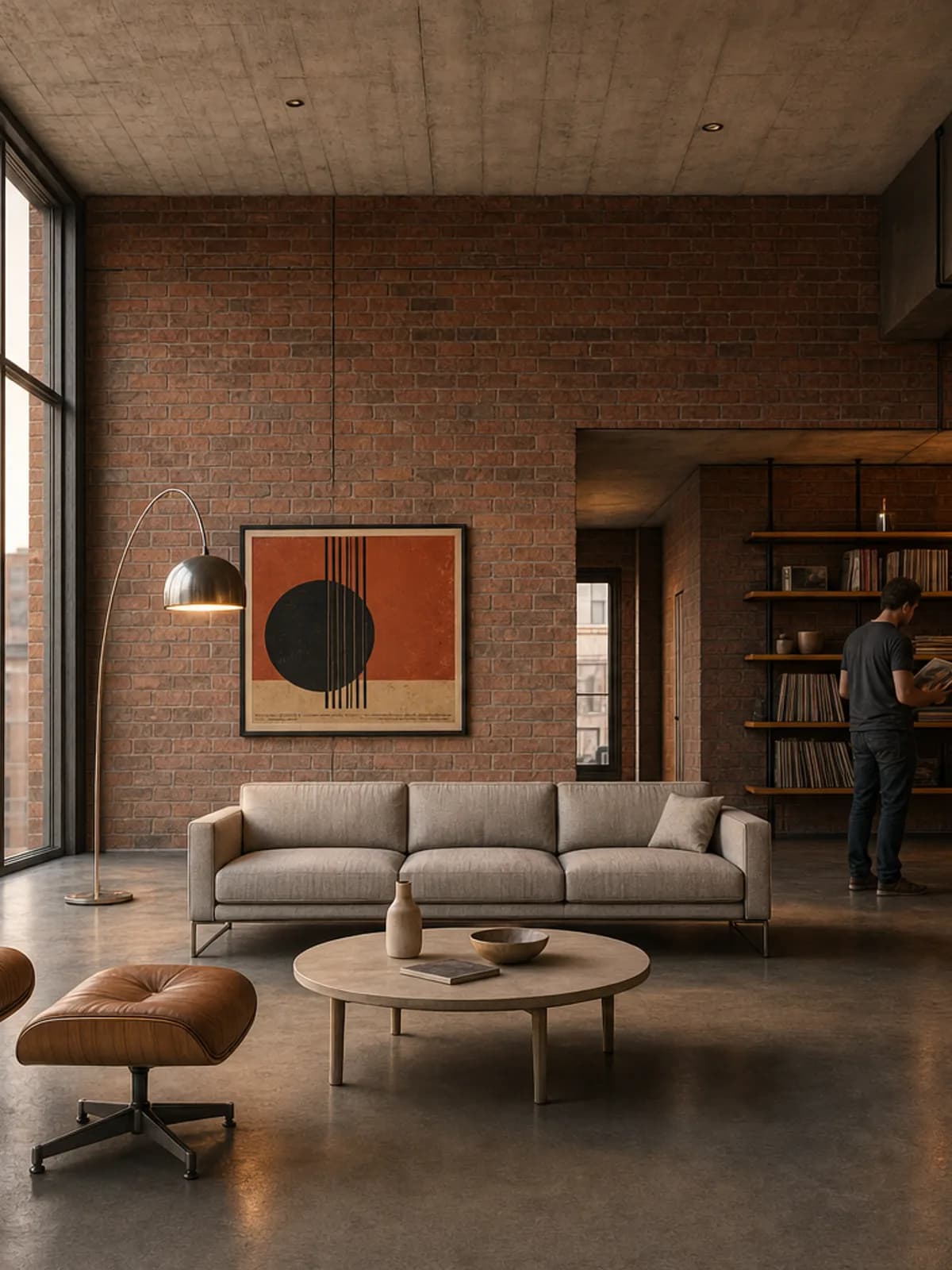
Industrial Loft
A frank, post-industrial look: load-bearing brick, exposed black steel, and factory glazing. Ornament arises from function; the mood is gritty and lived-in.
Urban America · Industrial · Golden hour
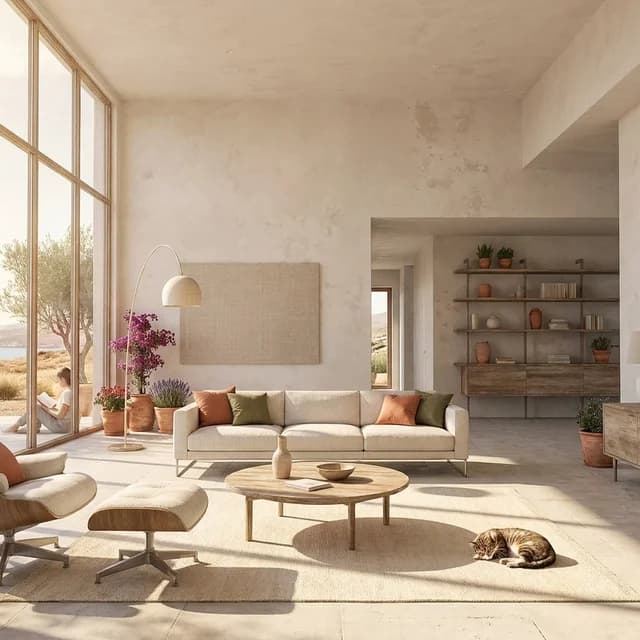
Mediterranean Villa
Whitewashed, sun-bleached volumes descending from Aegean and Andalusian traditions. Thick walls, deep reveals, and crisp shadow under bright coastal light.
Mediterranean · Vernacular · Hard sun
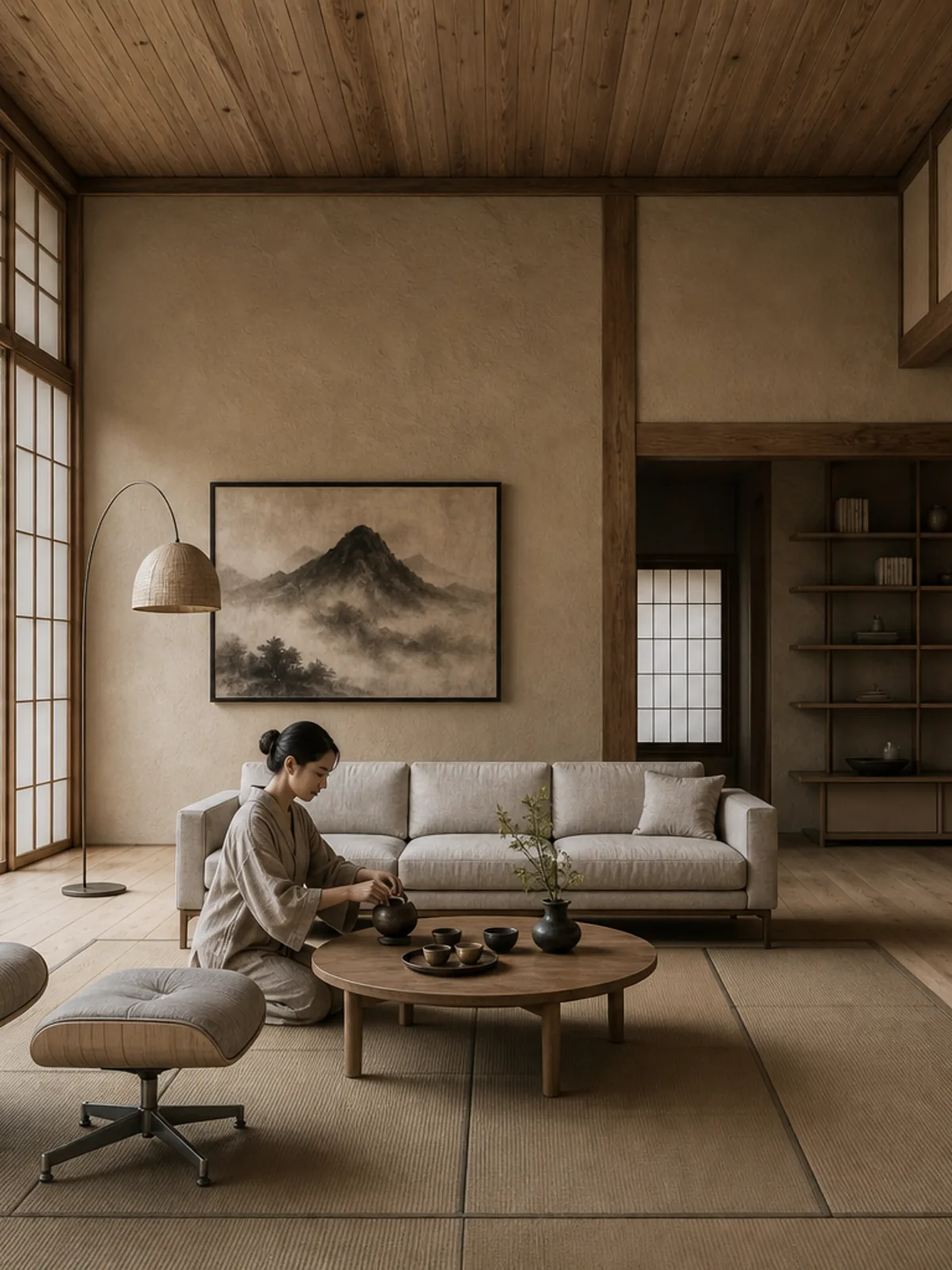
Japanese Wabi-Sabi
Restrained, asymmetric architecture in the sukiya tradition: slender natural timber, earthen plaster, and paper screens under soft after-rain light. Imperfection is the ornament.
Japan · Traditional · Overcast
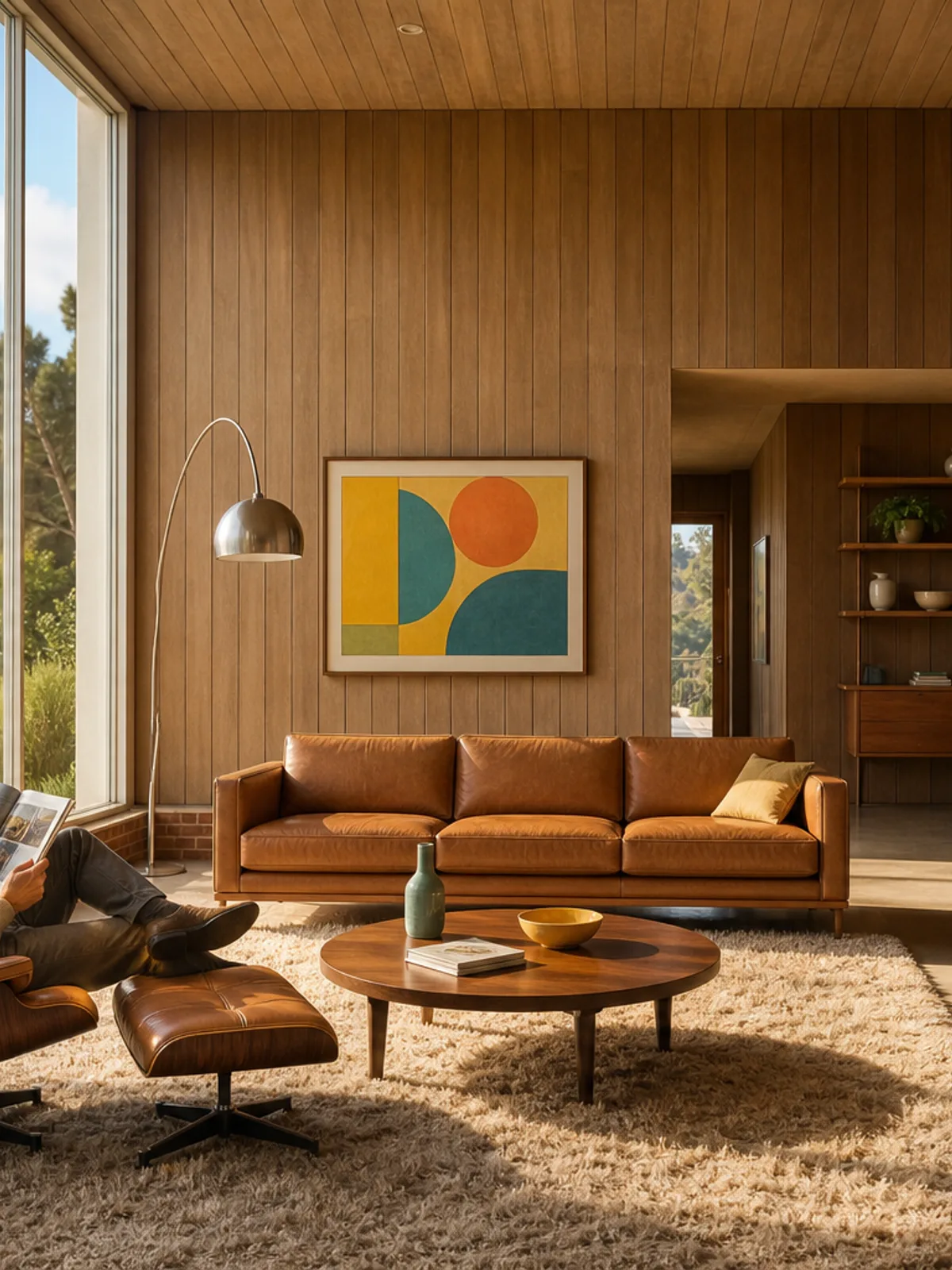
Mid-Century Modern
Case Study-era optimism: post-and-beam bays, walls of glass, warm wood, and low brick under golden canyon light. Confident, casual, and indoor-outdoor.
California · Mid-century · Golden hour
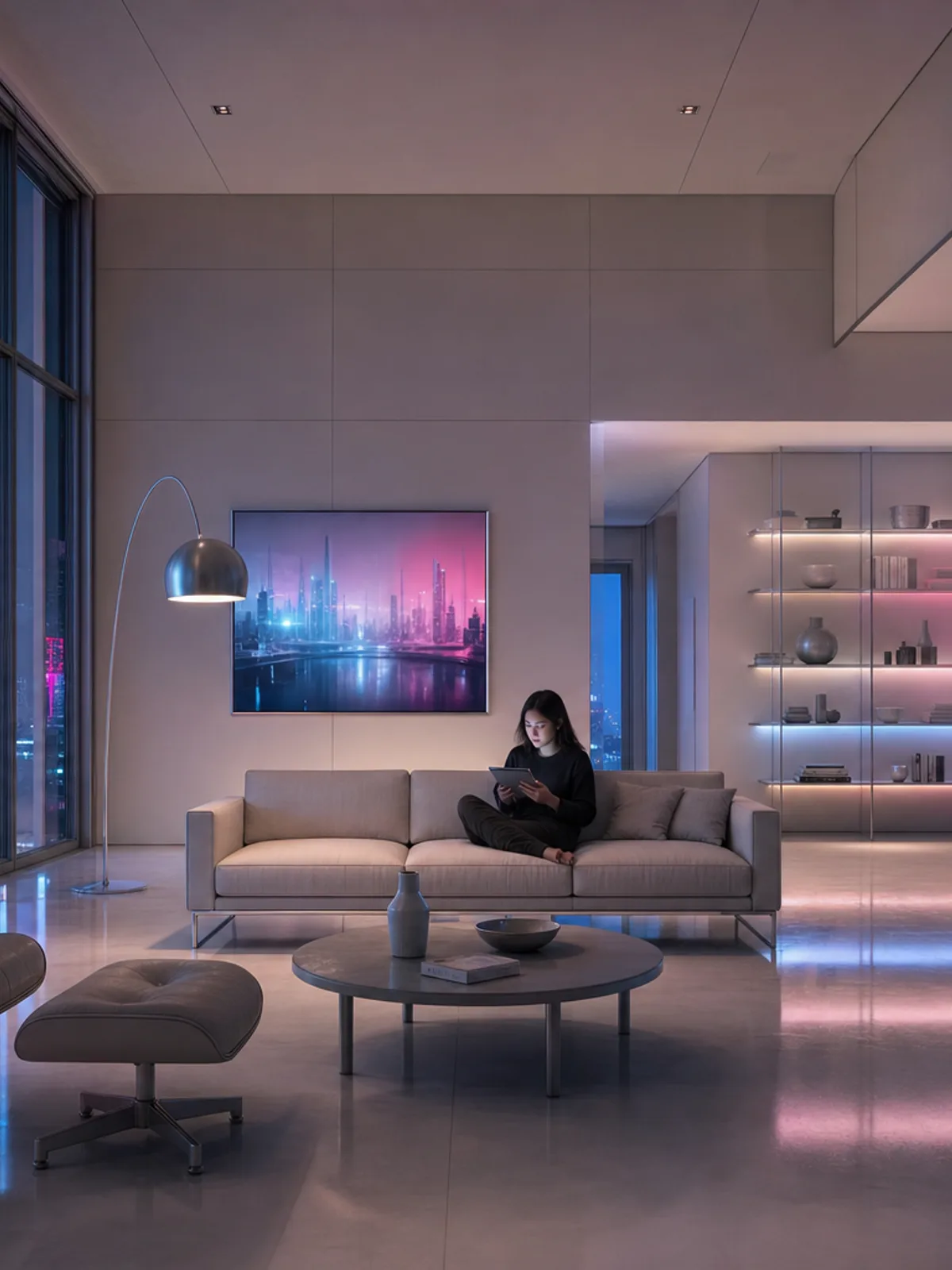
Cyber-Futurist
A slick, near-future night look: chamfered mirror-metal volumes edge-lit in saturated neon over wet reflective ground. Intentionally hyper-real and synthetic.
Neo-Tokyo · Futurist · Neon
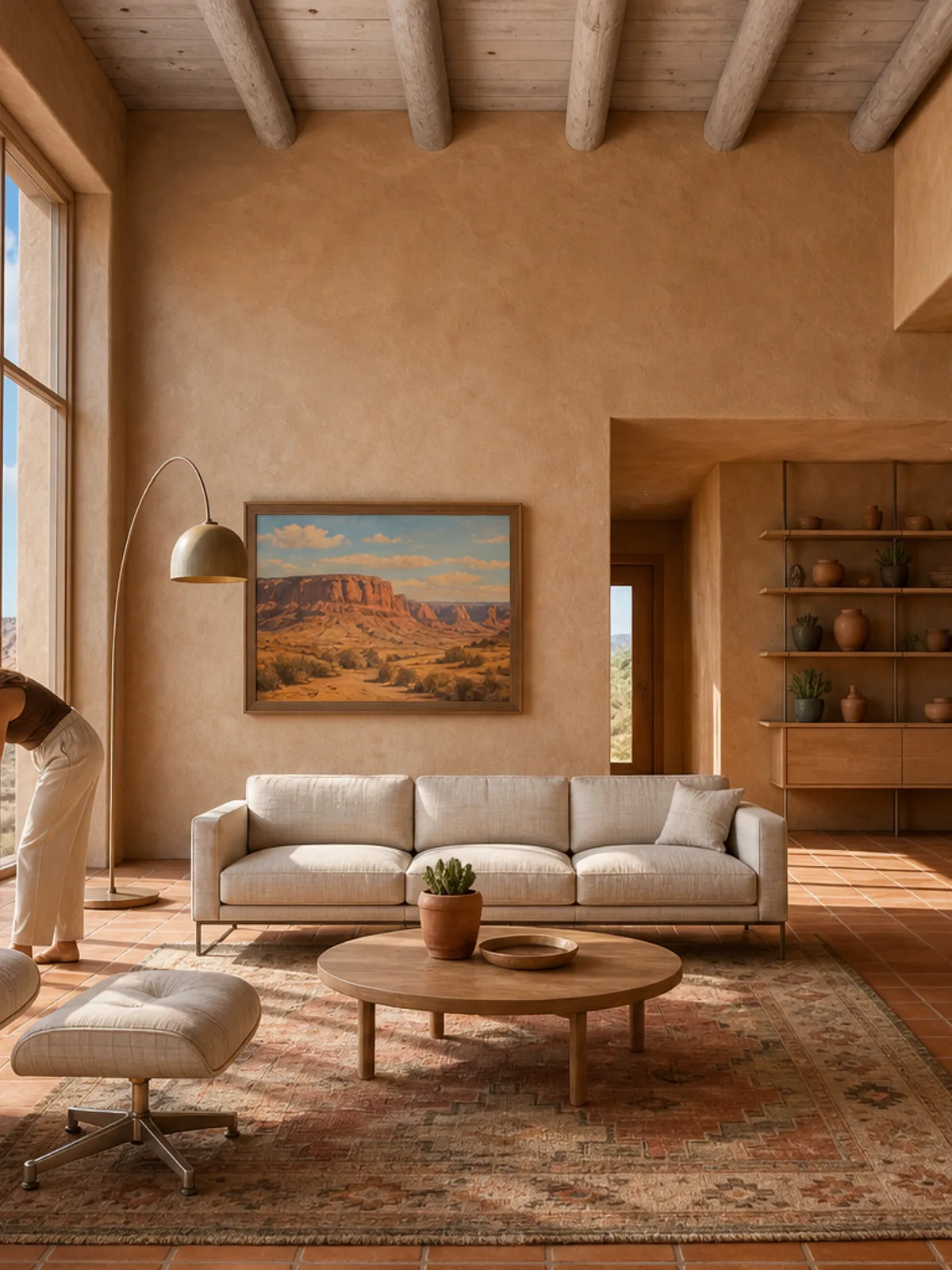
Desert Adobe
Hand-built earthen walls with rounded corners and deep punched openings, under harsh Southwestern midday sun. Ancient, soft-edged, and rooted in its site.
American Southwest · Vernacular · Hard sun
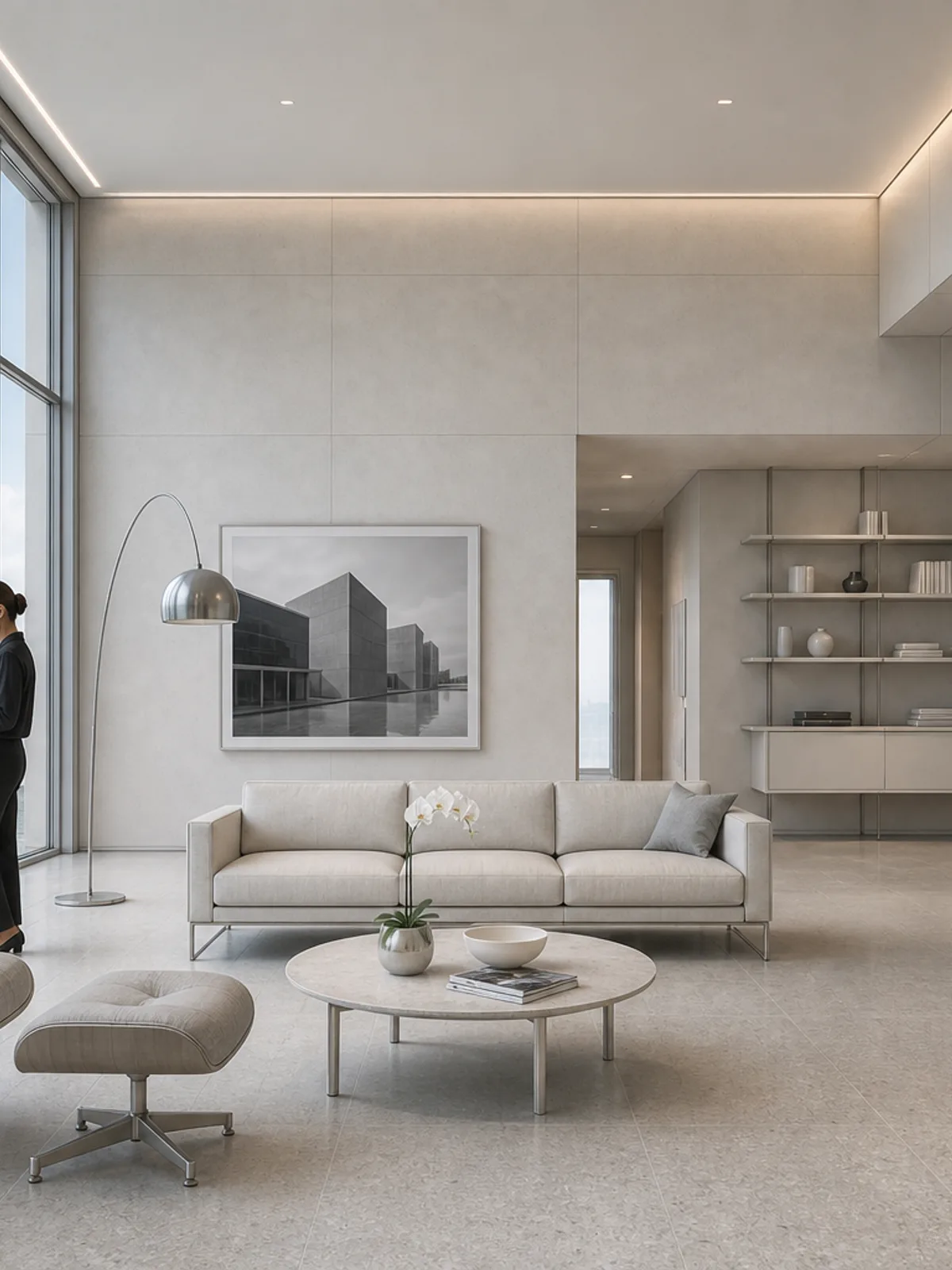
High-Tech Glass
Precision curtain-wall architecture in the Foster and Piano lineage: thin steel, full-height glazing, and a fastidiously gridded ground plane under cool, clean daylight.
Global · High-tech · Daylight
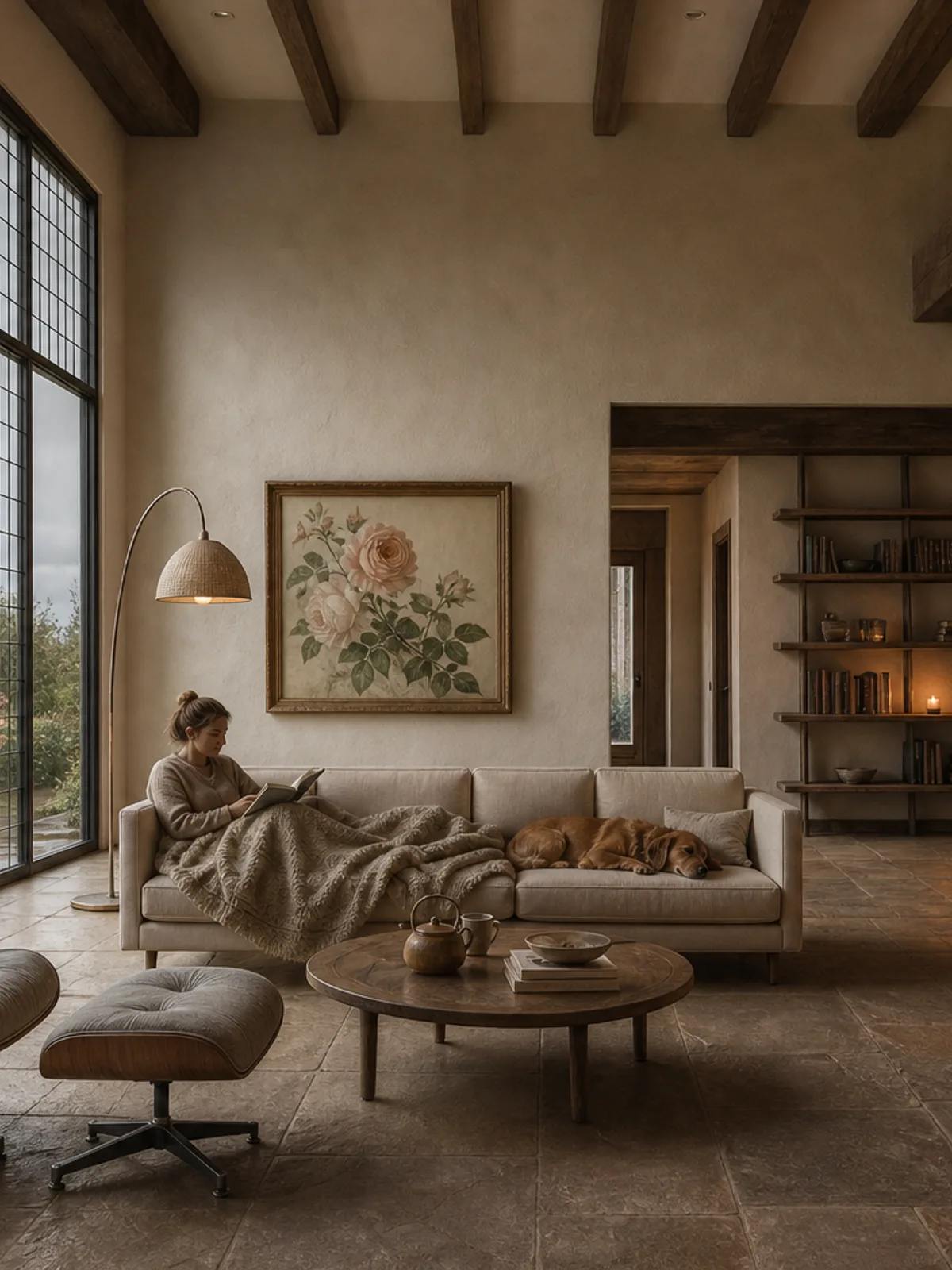
Cozy Cottage
A storybook English-cottage look: steep slate roofs, small leaded windows, and mossy stone under drizzle, with every window glowing warm from inside.
England · Vernacular · Overcast
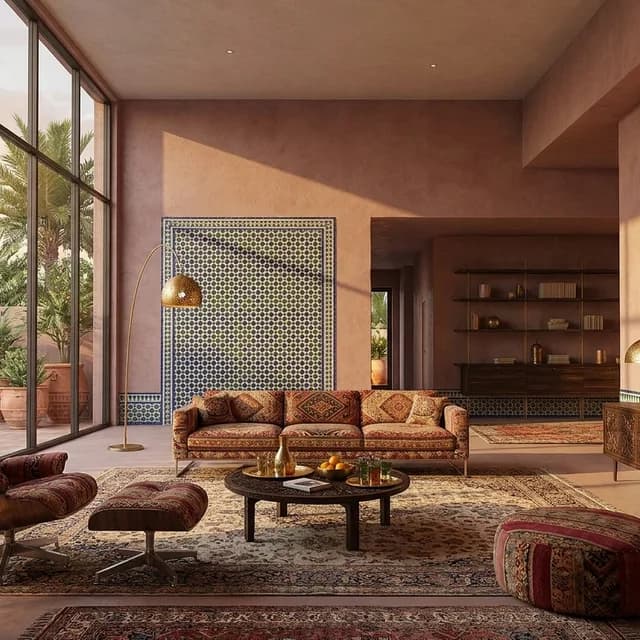
Moroccan Riad
Moroccan craft gives the existing scene a sheltered, richly tactile calm through tadelakt, jewel-toned zellige, carved cedar, and patterned textiles. Warm reflected light and pierced-brass shadow create opulence without structural alteration or visual excess.
Morocco · Traditional · Golden hour
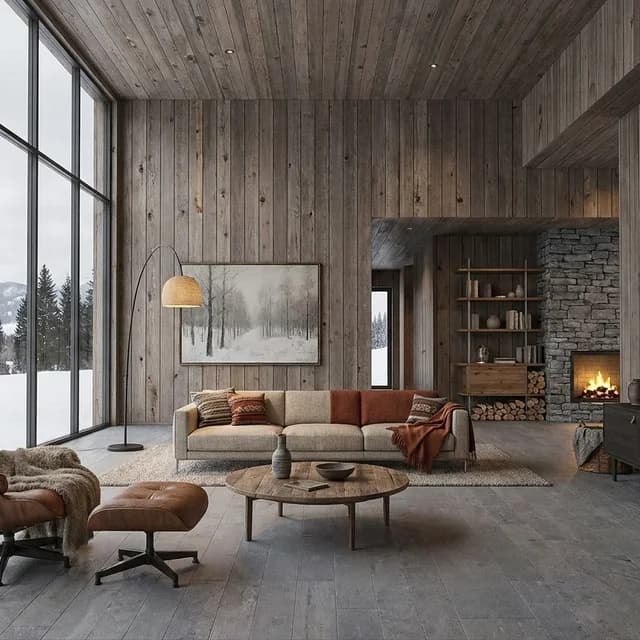
Alpine Chalet
A winter-warm Alpine treatment built from smoked larch, honed mountain stone, saddle leather, and dense wool. Snow-reflected overcast light keeps the scene clear and muted, while hearth glow and practical objects make it feel genuinely occupied.
Alps · Vernacular · Overcast
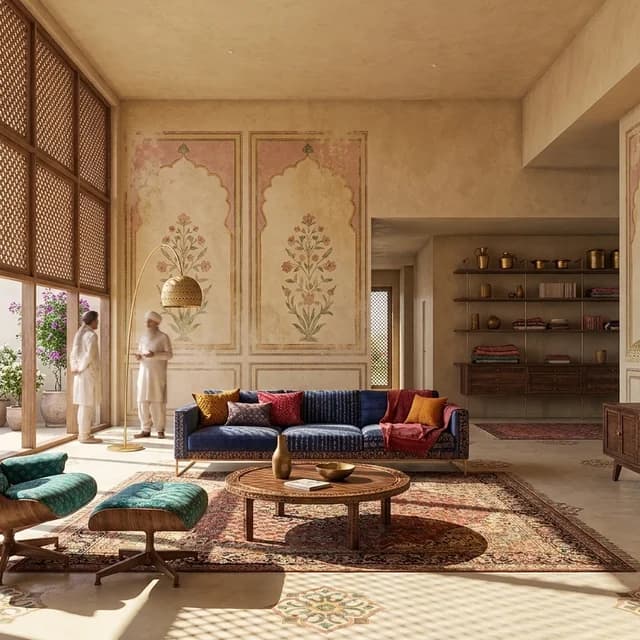
Indian Haveli
Lime plaster, carved jali screens, faded fresco color, and gemstone-bright textiles give the existing scene a layered haveli character. Hard summer light is softened into patterned shade, preserving richness without changing the underlying structure.
India · Traditional · Hard sun
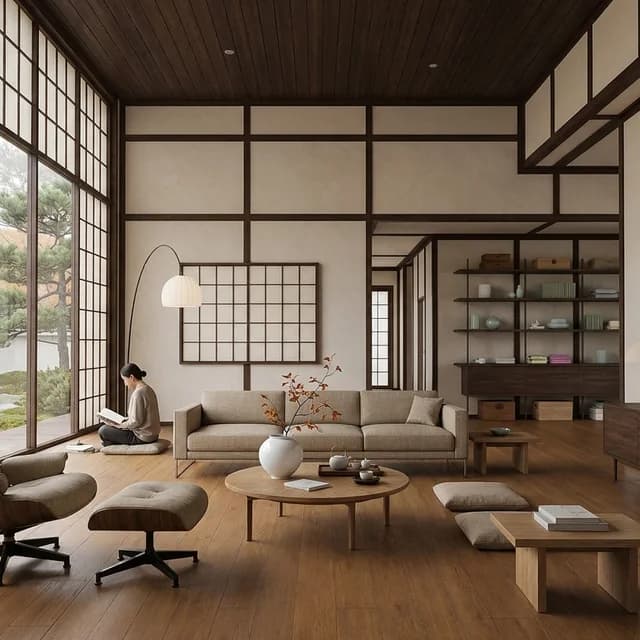
Korean Hanok
Hanok calm is conveyed through dark timber grids, luminous hanji, warm oiled floors, low oak furniture, and restrained ceramics. Soft overcast light keeps every surface even and quiet while the existing geometry remains untouched.
Korea · Traditional · Overcast
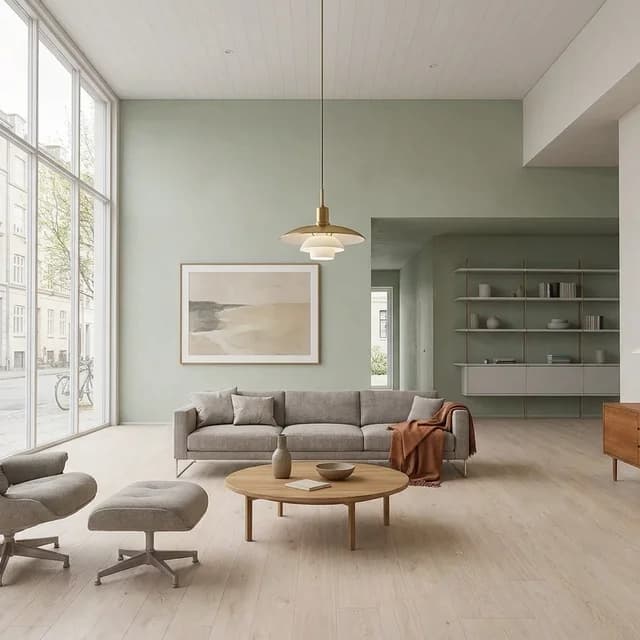
Copenhagen Modern
Contemporary Danish city living shaped by pale oak, chalky color, design-classic furniture, and even spring daylight. It is warmer and more urban than Nordic Calm, with a cultivated Copenhagen restraint that remains useful, relaxed, and lived in.
Copenhagen · Contemporary · Daylight
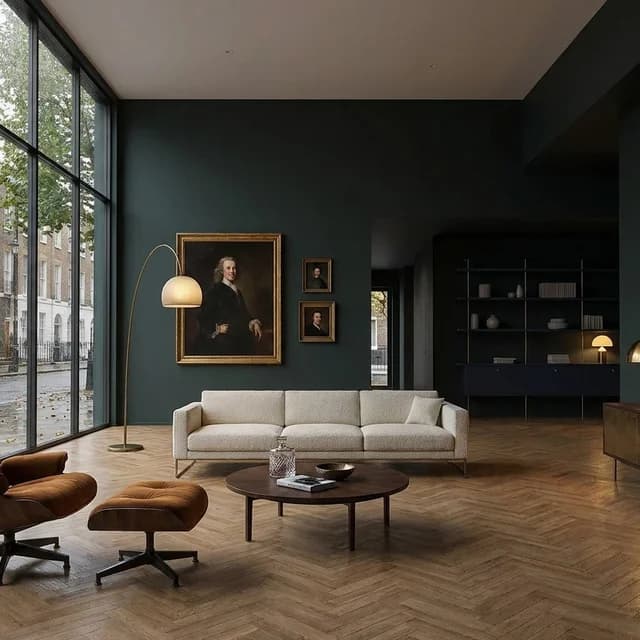
London Townhouse
A contemporary British townhouse rendered in deep color, herringbone oak, marble, antique brass, and collected art under soft grey daylight. Darker and more eclectic than Parisian Haussmann, it feels current rather than period, polished without losing its urban intimacy.
London · Contemporary · Overcast
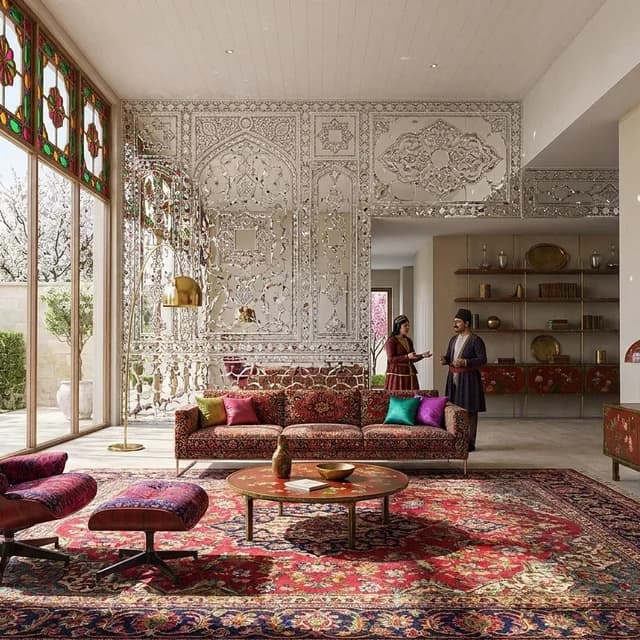
Persian Qajar
A luminous Qajar palette of mirror mosaic, polychrome tile, lacquered wood, saturated carpets, and jewel-toned glass. Bright spring daylight activates the facets and color while clear plaster areas keep the effect ordered.
Persia · 19th century · Daylight
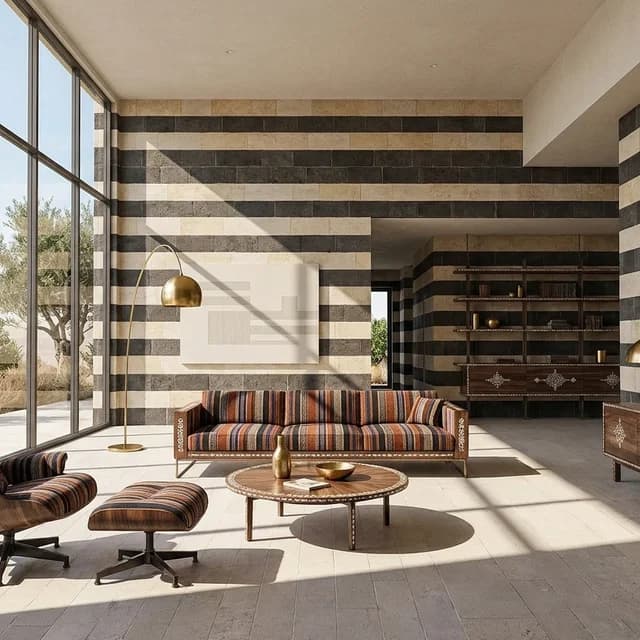
Levantine Ablaq
Alternating black-and-cream stone, walnut inlay, brass, and striped textiles give the scene a disciplined Levantine intensity. Hard summer sun sharpens the banding and shadow without requiring historical reconstruction or geometric change.
Levant · 19th century · Hard sun
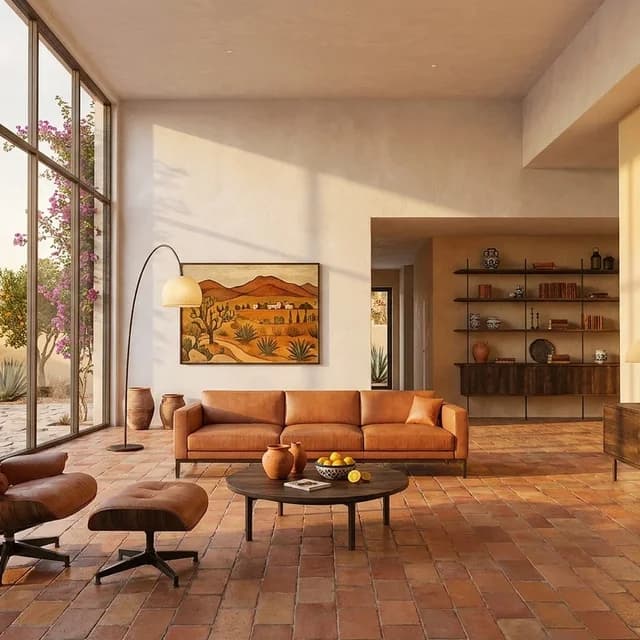
Mexican Hacienda
Chalky limewash, Saltillo tile, dark timber, saddle leather, Talavera accents, and wrought iron establish an enduring hacienda warmth. Golden-hour light brings out wear and color while preserving the source scene's existing form.
Mexico · 19th century · Golden hour
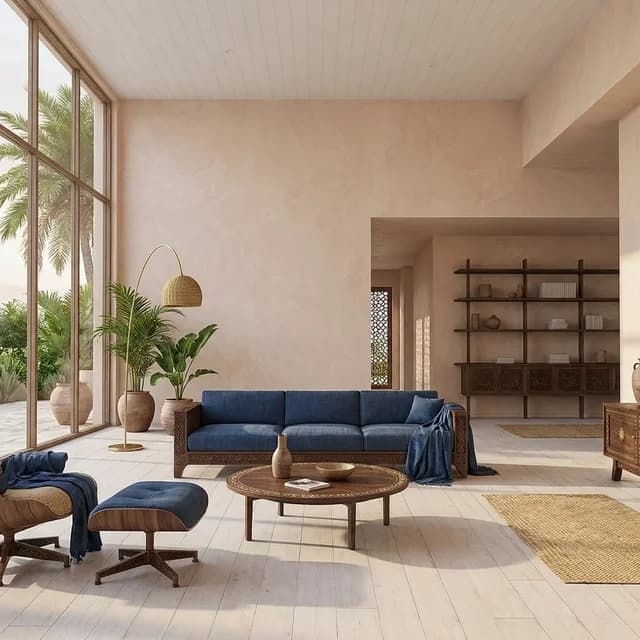
Swahili Coral House
Coral-lime plaster, carved hardwood, woven palm, indigo cloth, and shell inlay create a light Swahili coastal calm. Bright sea-filtered daylight keeps the palette airy while precise craft gives the existing scene depth.
Swahili Coast · Vernacular · Daylight
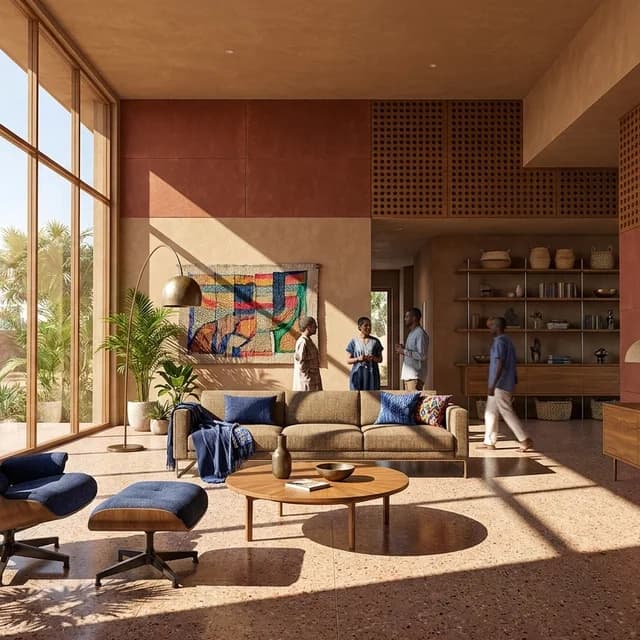
West African Modernism
Post-independence tropical modernism expressed through laterite color, terrazzo, iroko, and geometric shade. Strong sun, woven textiles, and restrained bronze details create a civic, grounded setting without changing the source structure.
West Africa · Late Modern · Hard sun
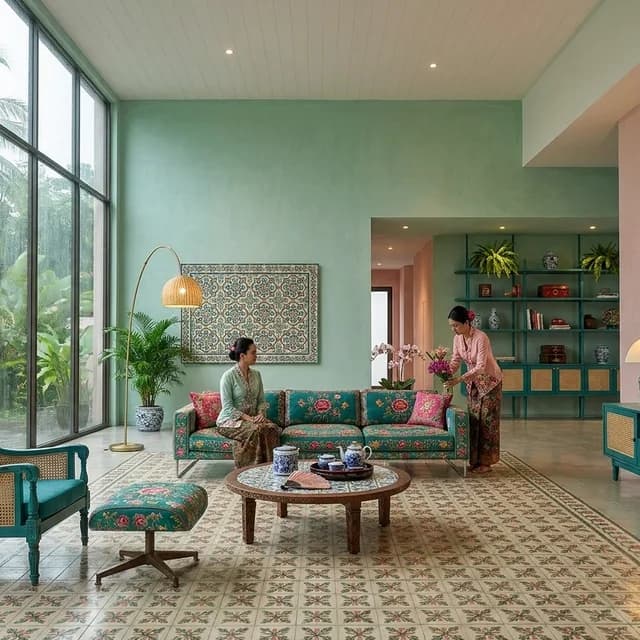
Peranakan Shophouse
A layered Peranakan palette of pastel lime plaster, patterned tile, teal timber, cane, porcelain, and lacquer. Humid daylight and rain-washed surroundings temper the ornament, producing a playful but composed setting.
Southeast Asia · 19th century · Daylight
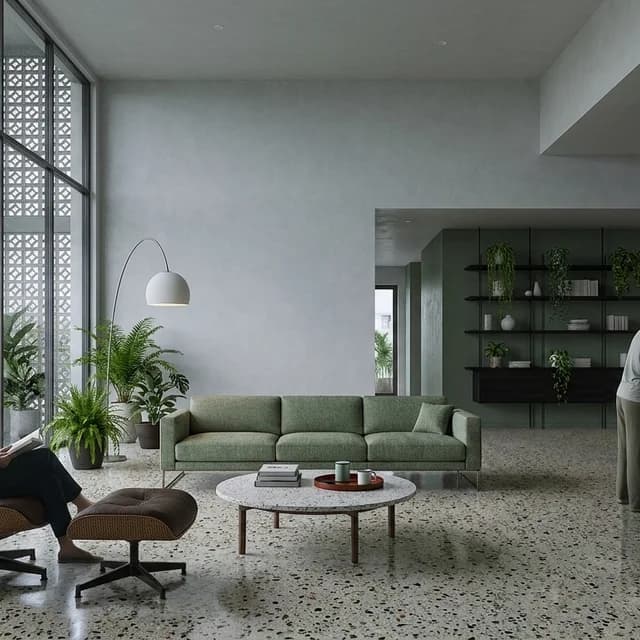
Vietnamese Modernism
Cool Vietnamese modernism shaped by terrazzo, concrete, lacquered wood, geometric screening, and integrated greenery. Diffuse monsoon light brings the materials together in a calm, practical, and distinctly urban atmosphere.
Vietnam · Late Modern · Overcast
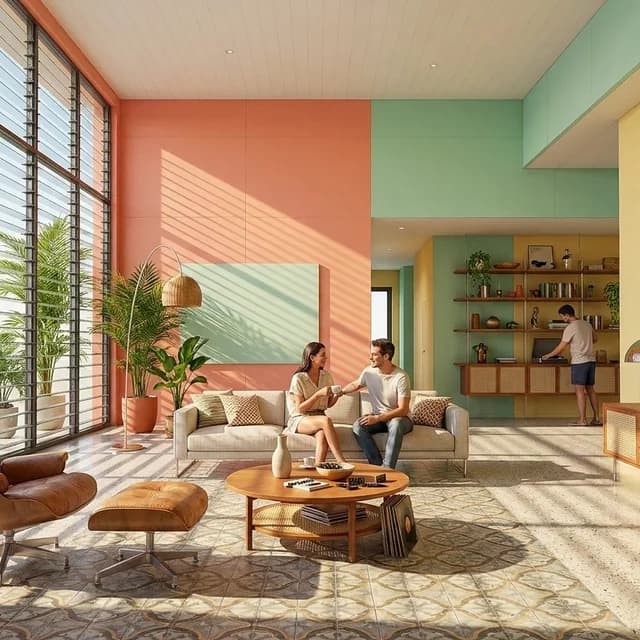
Cuban Tropical Modern
Mid-century tropical ease rendered in colored terrazzo, cane, patterned tile, chrome, and faded pastels. Hard sun filtered through jalousie blades creates striped light and a warm, sociable atmosphere.
Caribbean · Mid-century · Hard sun
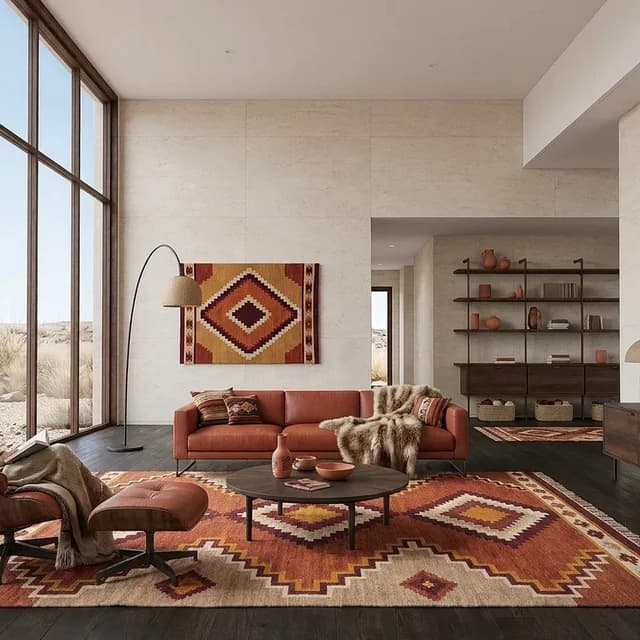
Andean Textile Modern
Contemporary Andean restraint built from pale stone, dark timber, oxidized metal, terracotta, and geometric alpaca textiles. Clear winter daylight sharpens the craft while soft wool and earthen accents keep the setting warm.
Andes · Contemporary · Daylight
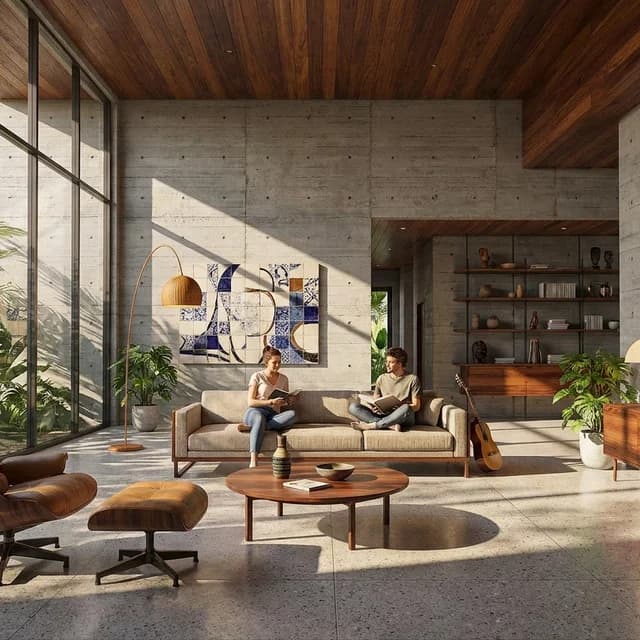
Brazilian Modernism
Dramatic Brazilian modernism pairing board-marked concrete with jacaranda, leather, ceramics, azulejos, and lush planting. Curves belong to furniture and art, preserving the source geometry while retaining the Niemeyer and Bo Bardi lineage.
Brazil · Mid-century · Hard sun
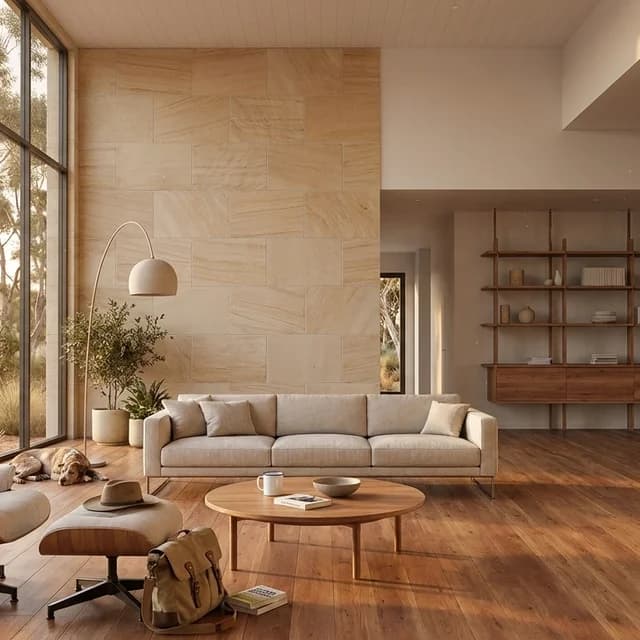
Australian Bush Modern
A warm, practical contemporary style built from spotted gum, sandstone, corrugated metal, canvas, and bleached linen. Eucalyptus-filtered golden light gives the setting its dry, weathered calm.
Australia · Contemporary · Golden hour
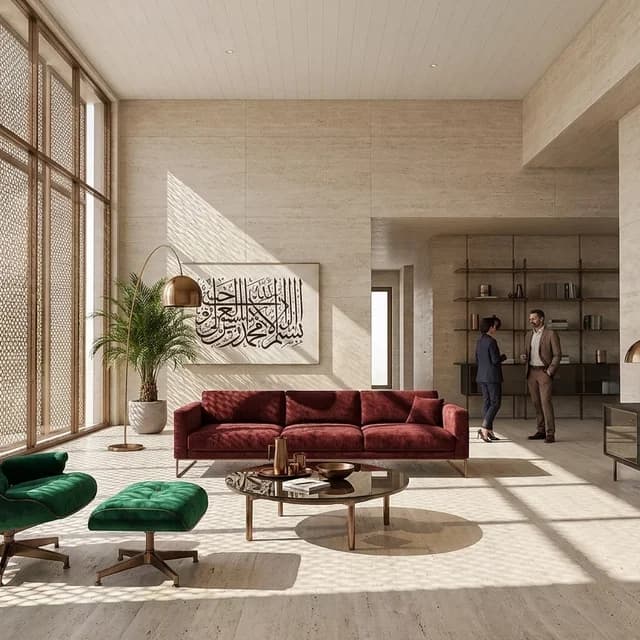
Gulf Modernism
Restrained Gulf luxury expressed through travertine, smoked glass, anodized bronze, geometric metalwork, and jewel-toned upholstery. Bright summer daylight is carefully filtered, producing a cool and composed late-modern setting.
Arabian Gulf · Late Modern · Daylight
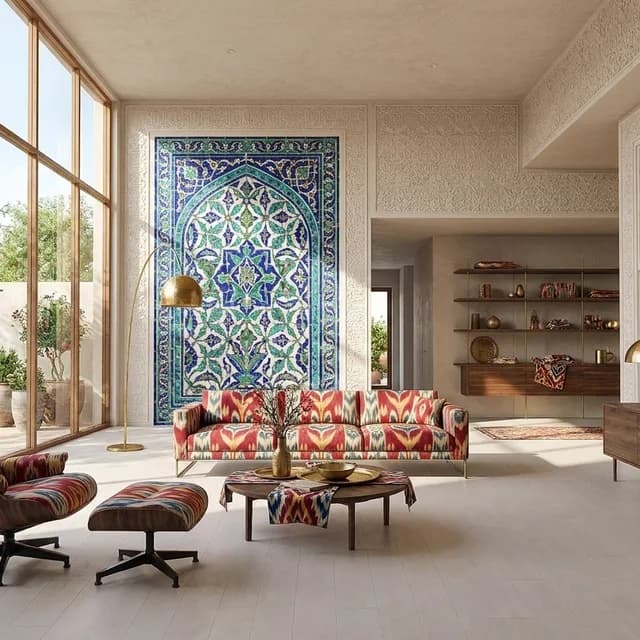
Uzbek Silk Road
Vivid Silk Road craft articulated through cobalt and turquoise tile, carved ganch, walnut, ikat, and brass. Bright daylight keeps the layered pattern crisp, social, and usable rather than theatrical.
Central Asia · Traditional · Daylight
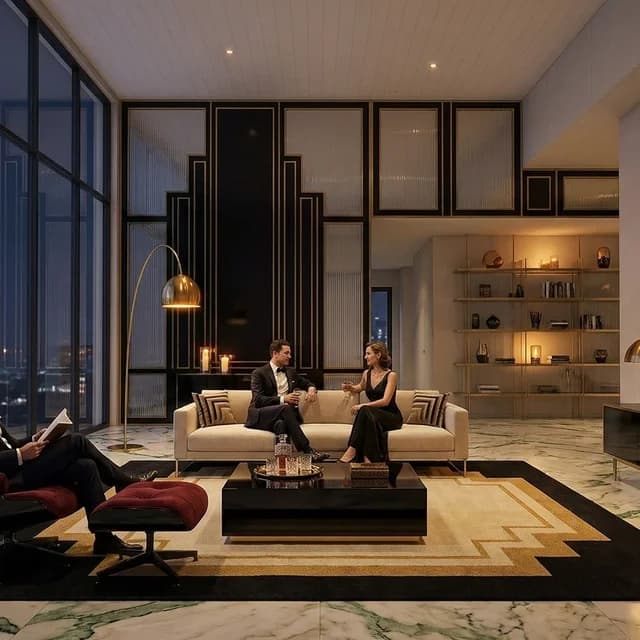
Art Deco
Interwar Art Deco defined by stepped geometry, symmetry, black lacquer, fluted glass, brass, marble, and velvet. Warm candle and lamp light produce an intimate, polished setting with disciplined opulence.
France & U.S. · Interwar · Candlelight
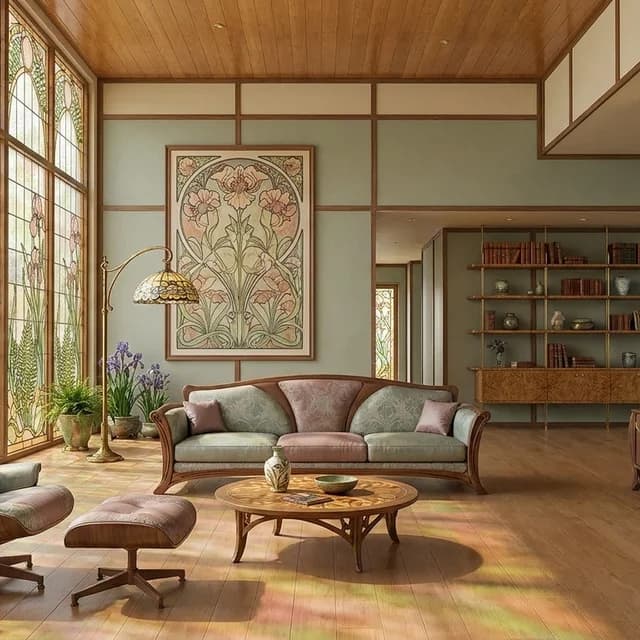
Art Nouveau
Art Nouveau translates organic movement into applied craft rather than altered structure. Botanical ironwork, marquetry, colored glass, and soft spring light give the fixed scene a coherent French-Belgian decorative character that remains elegant, tactile, and usable.
France & Belgium · Early Modern · Daylight
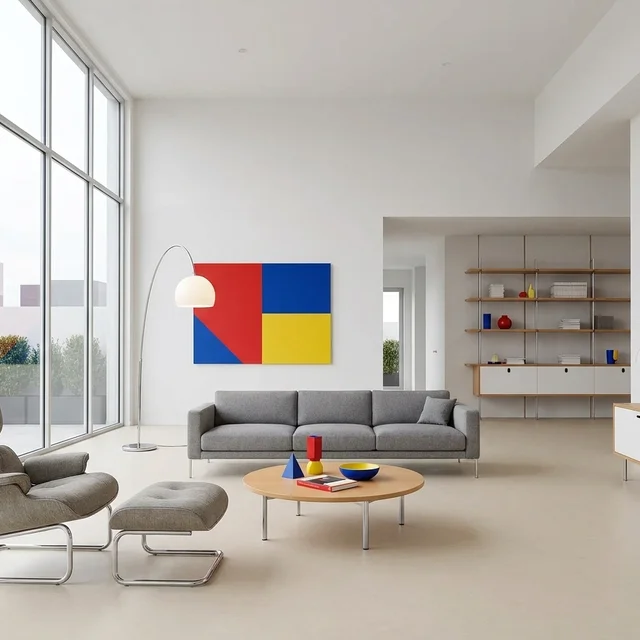
Bauhaus
Bauhaus organizes the fixed scene through function, flat planes, and industrially produced furnishings. White surfaces, tubular steel, linoleum, and measured primary accents create a cool early-modern environment under even neutral daylight.
Germany · Early Modern · Daylight
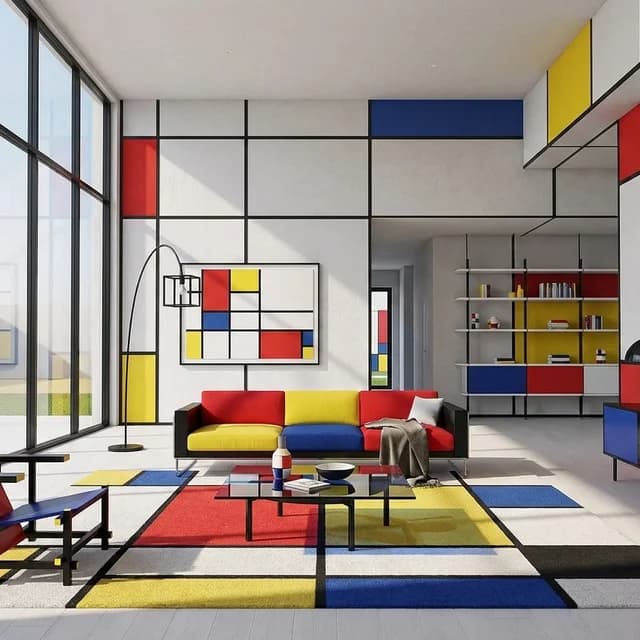
De Stijl
De Stijl restyles the fixed scene through black orthogonal grids, white fields, and sharply bounded primary colors. Lacquered Rietveld-style furniture and clear glass turn abstraction into a practical, playful environment without altering the underlying enclosure.
Netherlands · Early Modern · Daylight
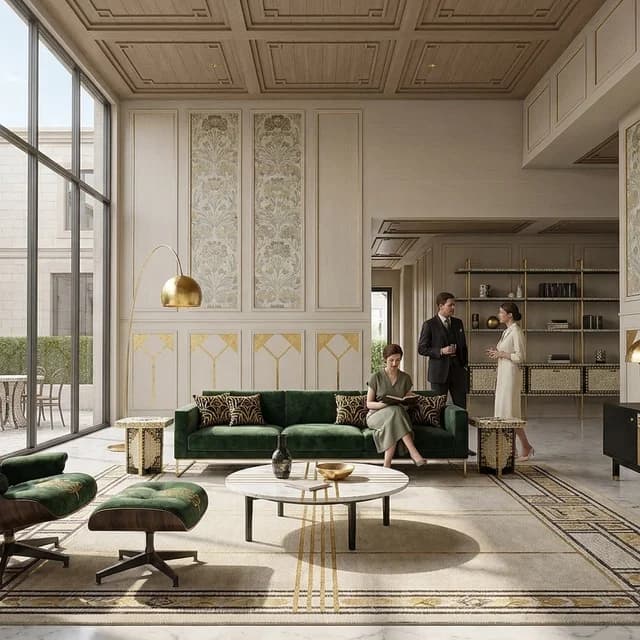
Vienna Secession
Vienna Secession pairs rigorous black-and-white geometry with measured gold, mosaic, bentwood, and stylized floral ornament. Clear daylight keeps the fixed scene disciplined and legible while preserving a distinct sense of cultivated luxury.
Austria · Early Modern · Daylight
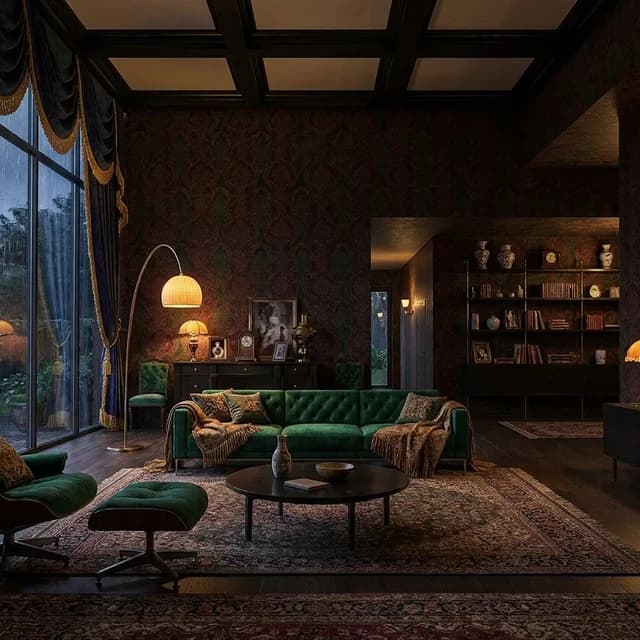
Victorian Parlor
Victorian Parlor gives the fixed scene intimate nineteenth-century density through ebonized wood, patterned wallpaper, velvet, fringe, and collected objects. Layered gaslight and candlelight deepen the jewel-toned palette into a warm, moody autumn setting.
Britain · 19th century · Candlelight
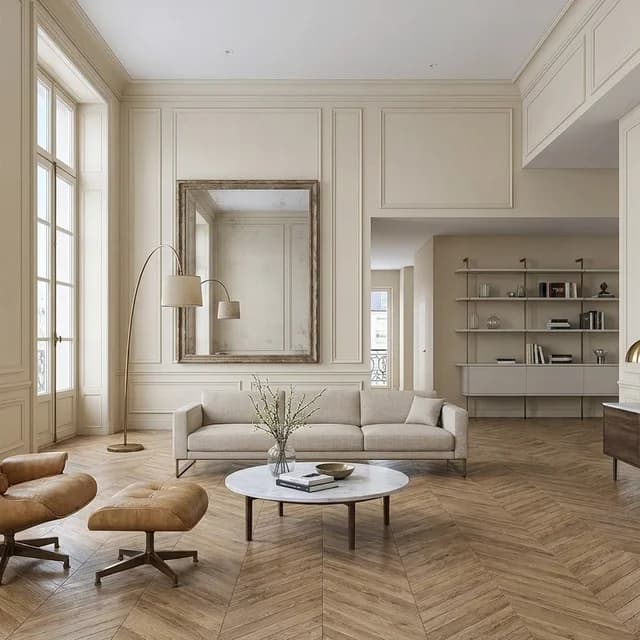
Parisian Haussmann
Parisian Haussmann styling uses pale boiserie, herringbone oak, marble, mirrors, and tailored linen to give the fixed scene composed nineteenth-century refinement. Cool spring daylight keeps the result fresh, urban, and restrained rather than ornate.
France · 19th century · Daylight
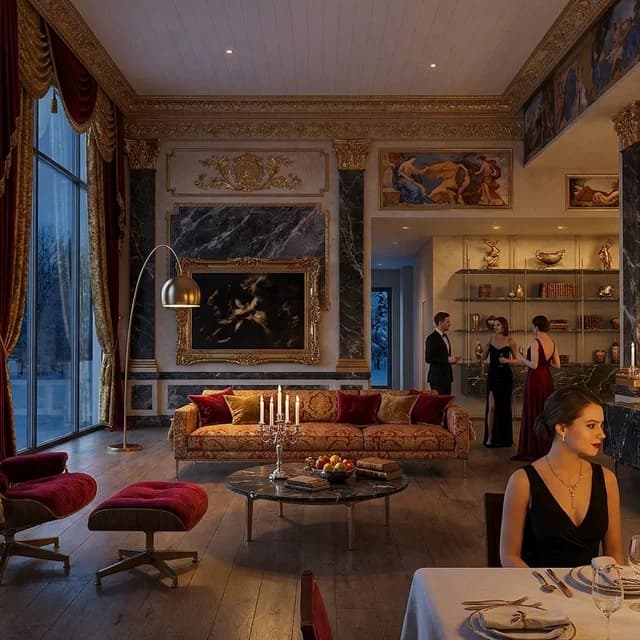
Baroque Opulence
Baroque Opulence gives the fixed scene seventeenth-century Italian drama through gilded relief, dark marble, fresco color, crystal, and heavy velvet. Candlelit chiaroscuro concentrates attention on applied ornament and ceremonial furnishings without introducing new structural forms.
Italy · 17th century · Candlelight
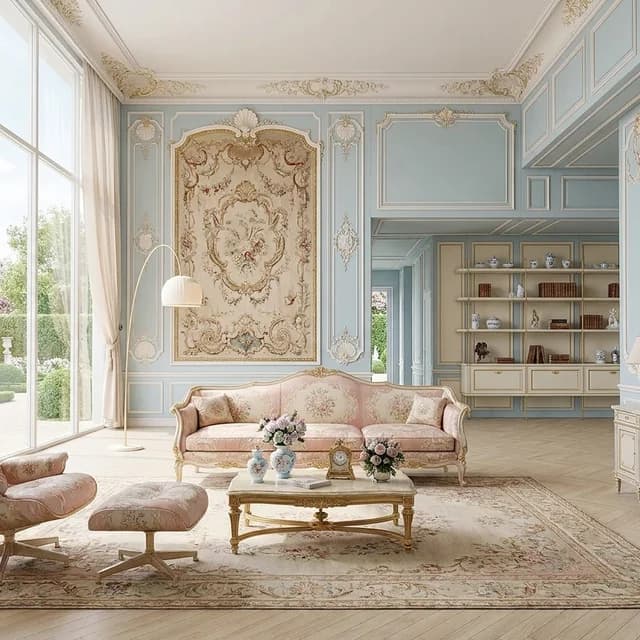
French Rococo
French Rococo restyles the fixed scene through pastel boiserie, asymmetrical shell ornament, ormolu, silk, porcelain, and mirrors. Soft spring daylight keeps the eighteenth-century French character buoyant and sociable rather than heavy or theatrical.
France · 18th century · Daylight
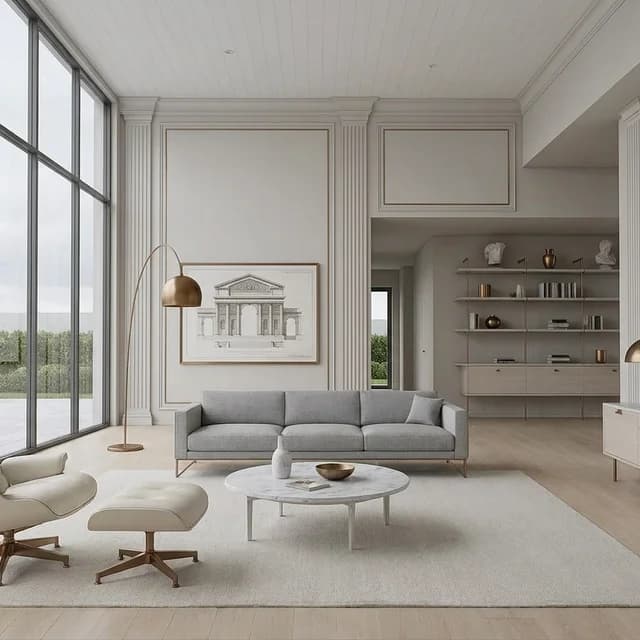
Neoclassical
Neoclassical styling organizes the fixed scene through pale stone tones, balanced furnishings, bronze, marble, and restrained silk. Applied fluting and measured ornament provide eighteenth-century European discipline without introducing structural columns or other new architectural forms.
Europe · 18th century · Daylight
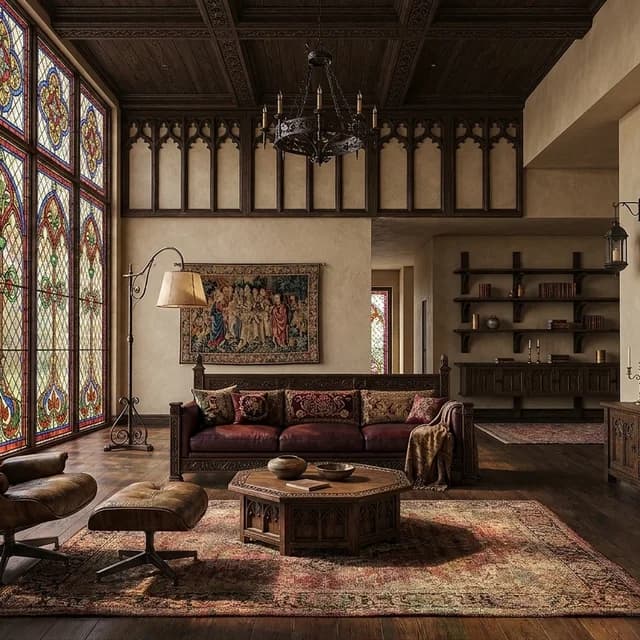
Gothic Revival
Gothic Revival gives the fixed scene refined nineteenth-century British character through dark oak, iron, warm stone tones, stained glass, and patterned joinery. Soft daylight and restrained color make the setting elegant, inviting, and livable while tracery remains an applied motif rather than new structure.
Britain · 19th century · Daylight
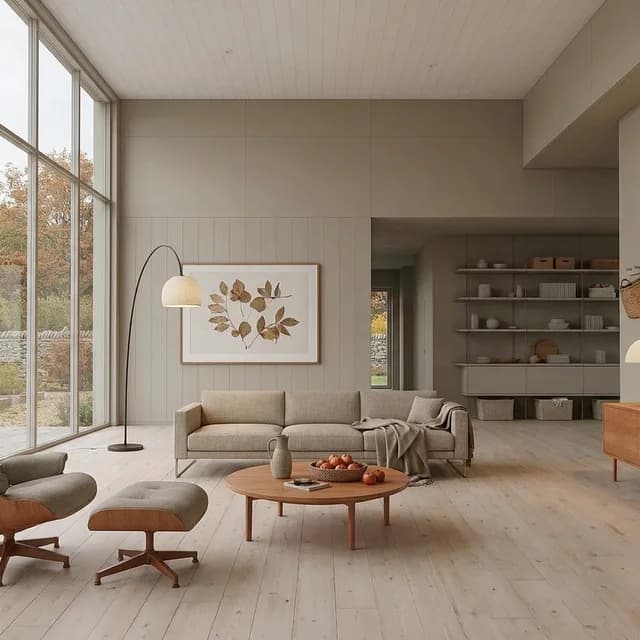
Shaker Simplicity
Nineteenth-century American restraint expressed through matte timber, peg rails, exact joinery, and handwoven linen. Plain daylight and sparse practical furnishings create a serene setting shaped by usefulness rather than display.
United States · 19th century · Daylight
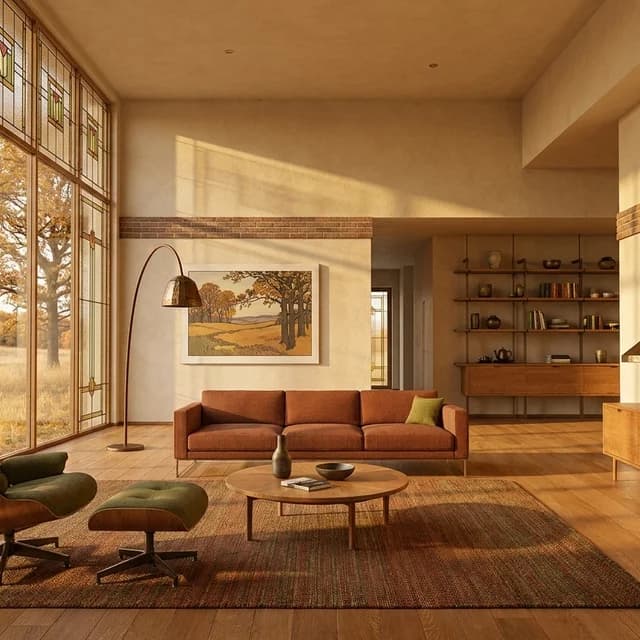
Prairie School
Prairie School warmth shaped by Roman brick, quarter-sawn oak, geometric art glass, and continuous horizontal bands. Golden autumn light ties the fitted interior language to open grass, trees, and low landscape beyond.
American Midwest · Early Modern · Golden hour
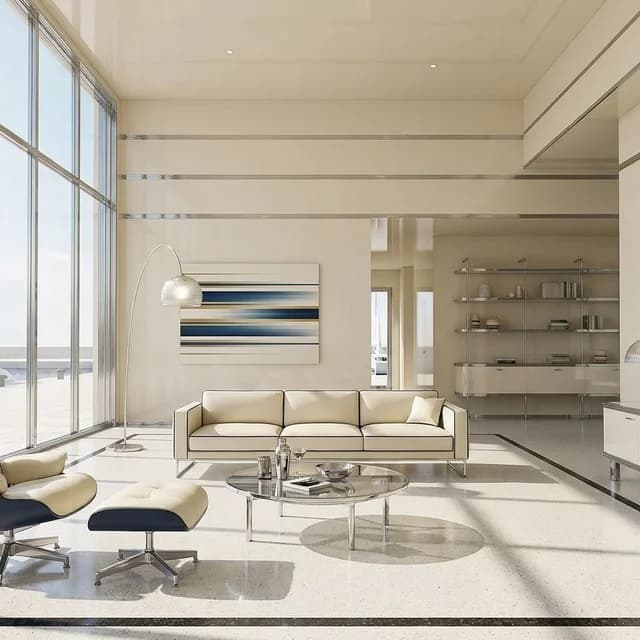
Streamline Moderne
Interwar streamlining expressed through ivory lacquer, ribbed chrome, glass block, and horizontal speed bands. Hard summer light gives rounded furnishings and polished details a crisp, nautical clarity.
United States · Interwar · Hard sun
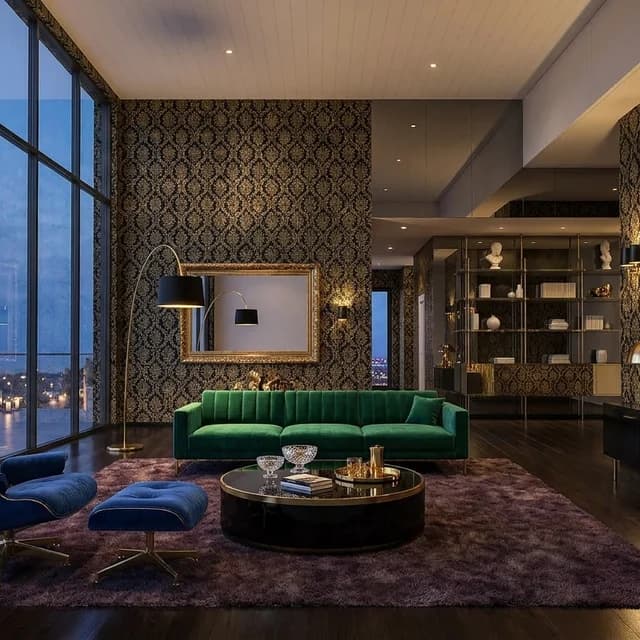
Hollywood Regency
Mid-century glamour built from black lacquer, channeled velvet, brass, smoked mirror, and strict furniture symmetry. Candlelight softens the reflective palette while retaining a formal, theatrical evening character.
United States · Mid-century · Candlelight
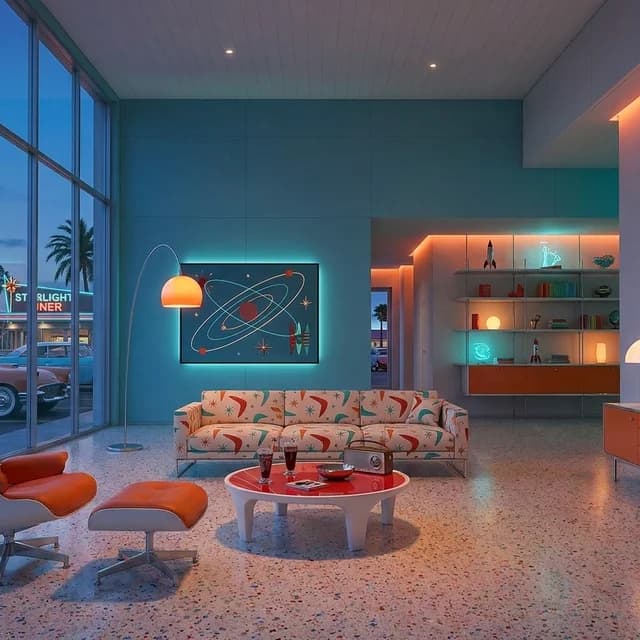
Space Age Googie
Mid-century futurism rendered through molded white shells, bright acrylic, chrome, and applied boomerang graphics. Blue-hour light and neon color give the scene a playful diner and roadside energy.
United States · Mid-century · Blue hour
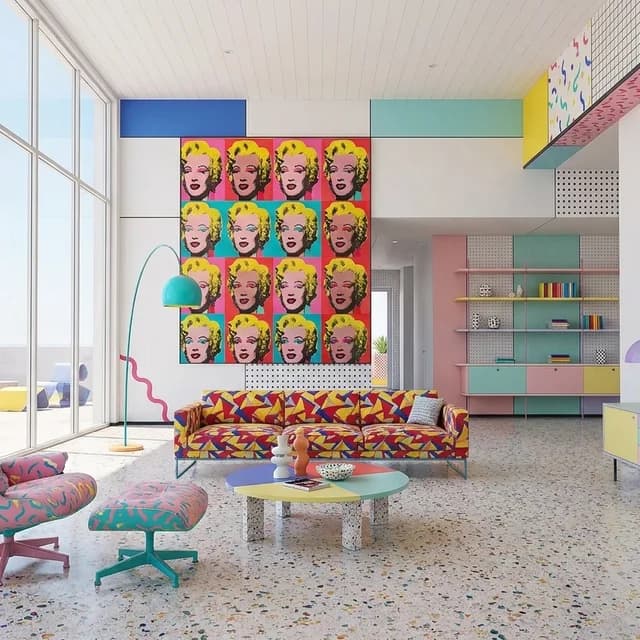
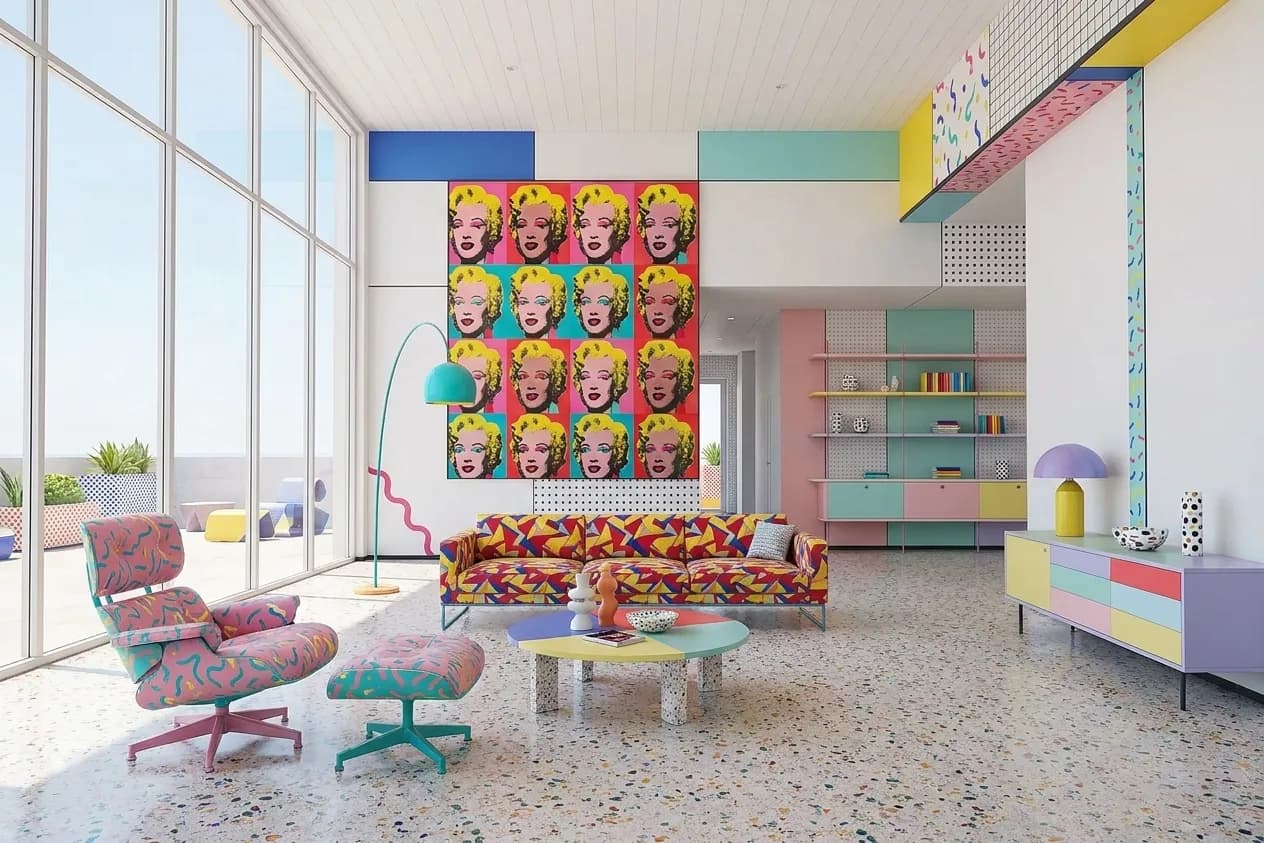
Memphis Postmodern
Italian postmodern play expressed through clashing laminate, terrazzo, squiggle graphics, and chunky geometric furniture. Flat daylight keeps the awkward palette and abrupt material changes clear, bright, and intentional.
Italy · Postmodern · Daylight
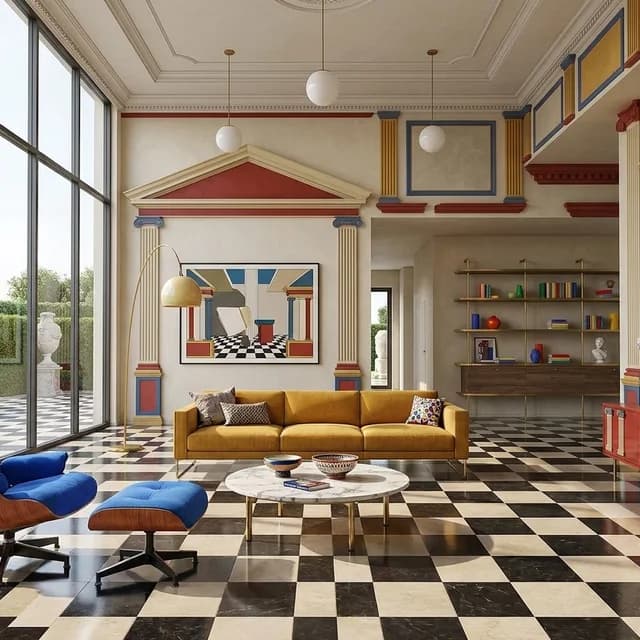
Postmodern Classicism
Classical fragments return as oversized applied ornament, colored panels, furniture, and graphic relief. Checkerboard stone and bright daylight keep the result formal, dramatic, and knowingly postmodern without altering the fixed enclosure.
International · Postmodern · Daylight
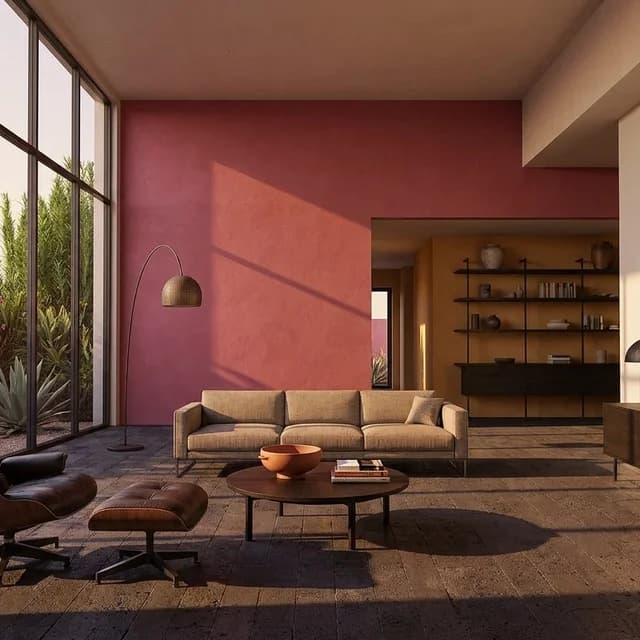
Barragán Color Modernism
Mexican mid-century color modernism shaped by magenta, ochre, and rose plaster against volcanic stone and dark timber. Raking golden light and still-water reflection create hard color shadows and a quiet, concentrated atmosphere.
Mexico · Mid-century · Golden hour
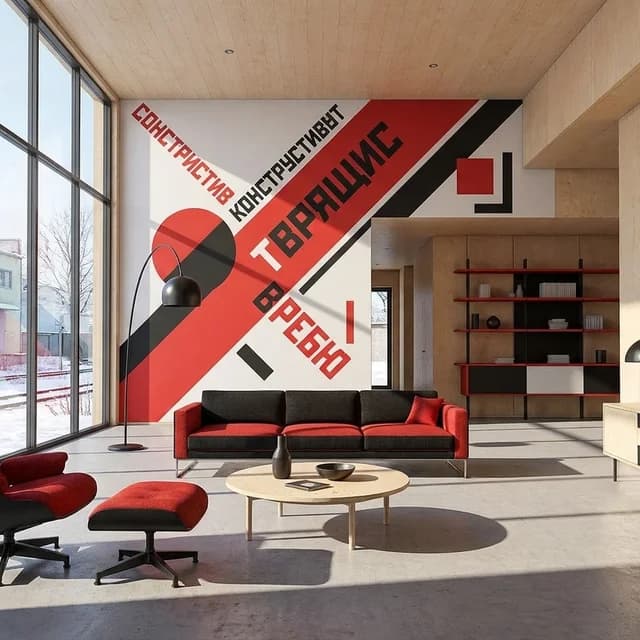
Constructivist Graphic
Eastern European early modernism expressed through diagonal red-and-black graphics, plywood, exposed steel fittings, and industrial lamps. Hard winter sun gives the applied typography and utilitarian furnishings a severe, urgent clarity.
Eastern Europe · Early Modern · Hard sun
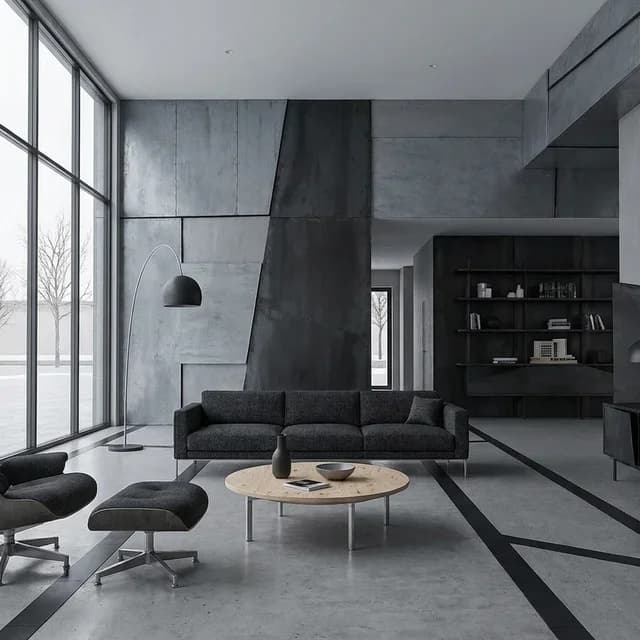
Deconstructivist
Late-modern tension expressed through fractured cladding, skewed surface seams, raw metal, and angular furniture while the fixed enclosure remains intact. Flat winter light keeps every offset joint and tonal collision precise.
International · Late Modern · Overcast
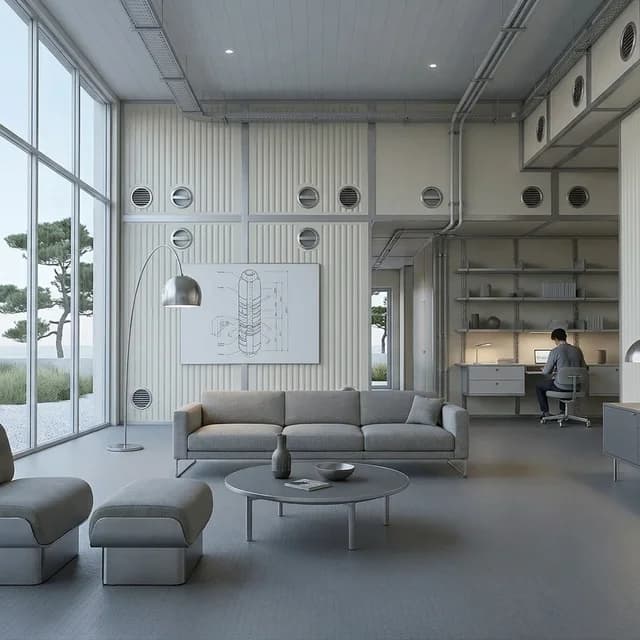
Japanese Metabolism
Late-modern Japanese experimentation expressed through removable capsule fittings, ribbed panels, and compact machine-age furniture. The existing shell remains unchanged while precise services and circular details establish a modular rhythm.
Japan · Late Modern · Daylight
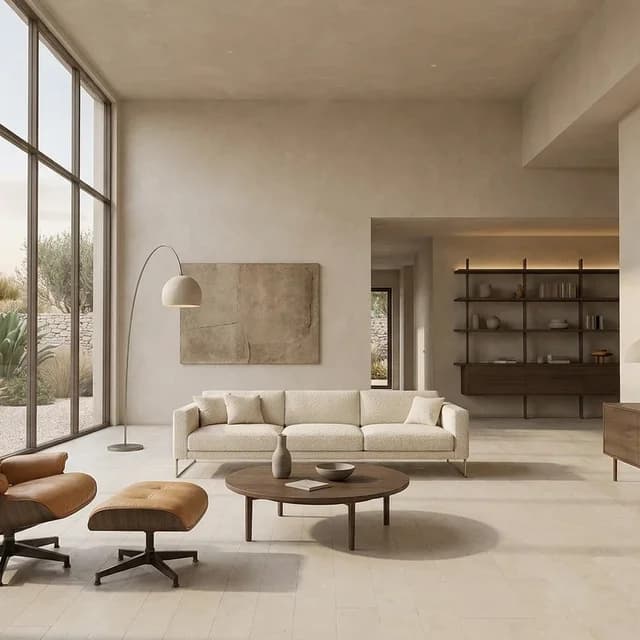
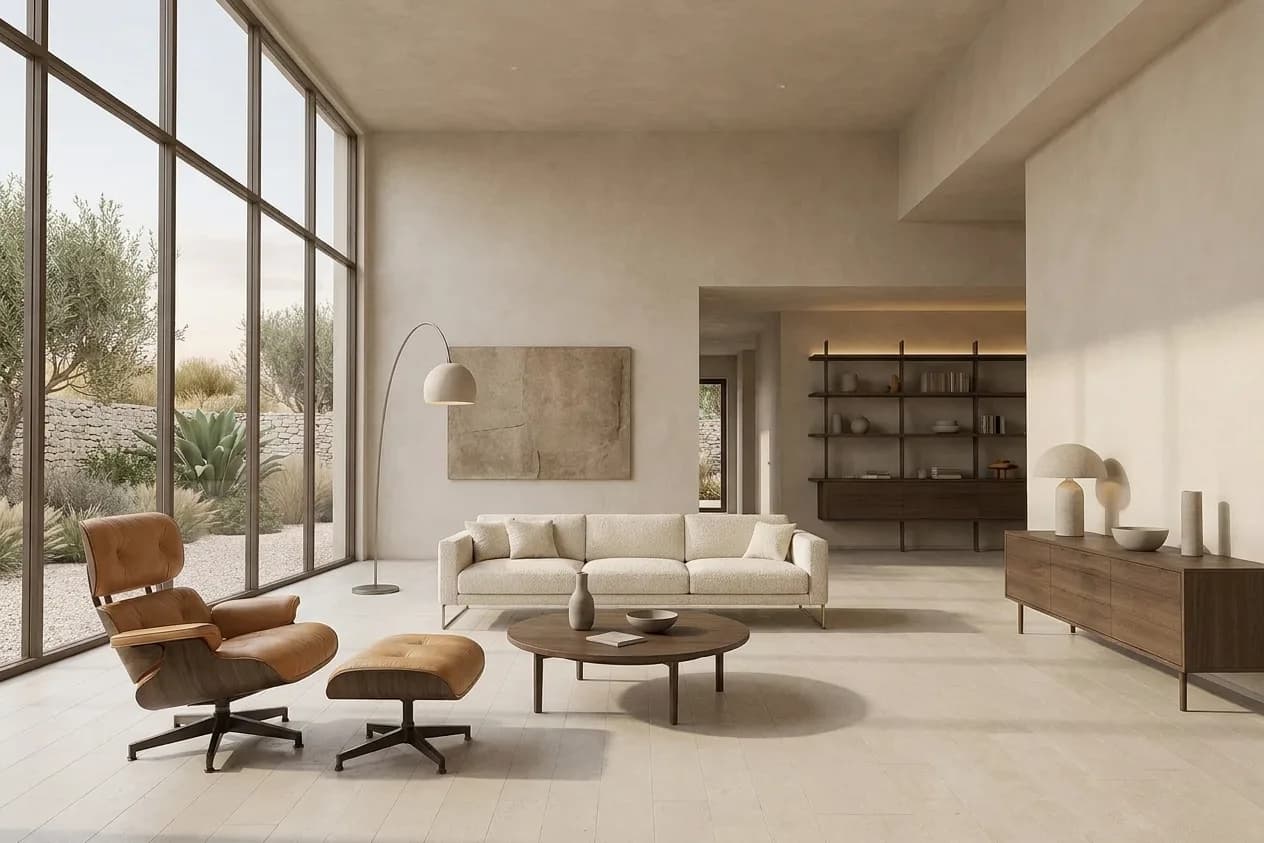
Organic Modern
Soft plaster, warm stone, dark oak, and rounded upholstery give contemporary minimalism a tactile register. Gentle daylight and an earth-bound palette make the space feel settled rather than austere.
Global · Contemporary · Daylight
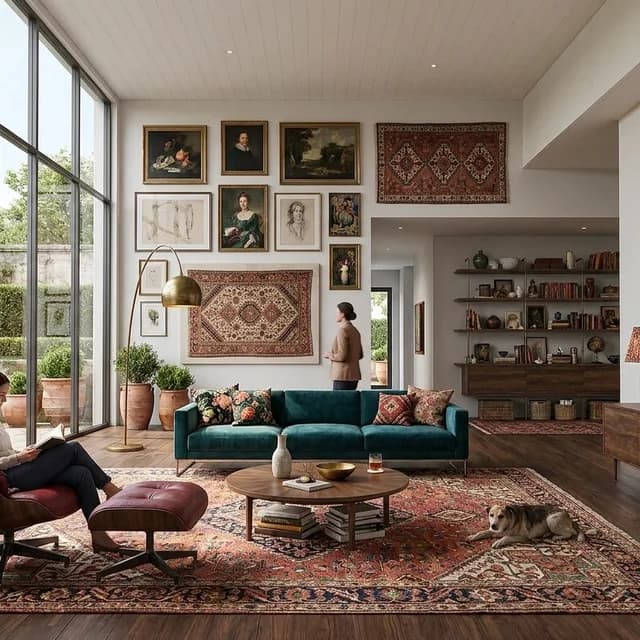
Maximalist Heritage
A disciplined collector's interior built from layered art, mixed-period furniture, saturated textiles, and inherited objects. Repeated colors and materials keep the richness coherent, personal, and usable.
Global · Contemporary · Daylight
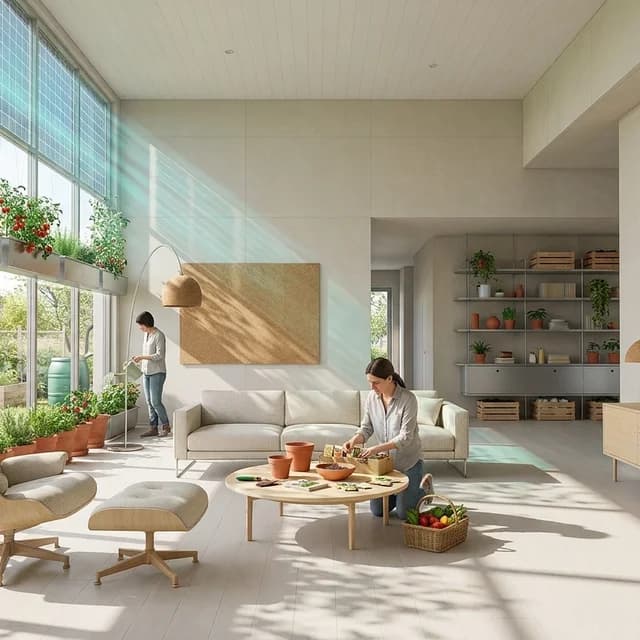
Solarpunk Atrium
Recycled metal, light timber, solar films, and edible planting turn ecological systems into visible everyday fittings. Bright spring daylight gives the existing shell the character of a shared, productive garden room.
Global · Speculative · Daylight
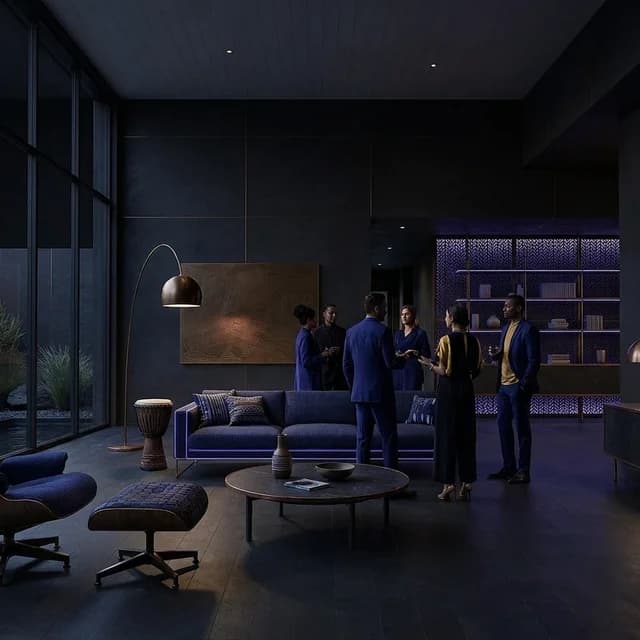
Afrofuturist
Dark mineral surfaces, bronze, indigo textiles, and luminous geometry create a ceremonial speculative language rooted in the African Diaspora. Controlled neon accents reveal applied pattern while the existing architecture stays intact.
African Diaspora · Speculative · Neon
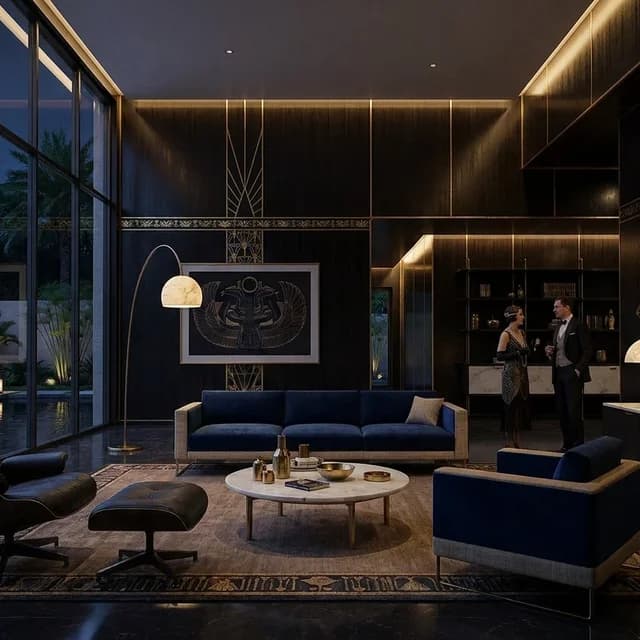
Egyptian Revival
Interwar Egyptian Revival expressed through ebony, lapis, gold leaf, alabaster, and shallow applied motifs. Warm night lighting gives the existing shell a formal, intimate decorative order.
Egypt & Europe · Interwar · Night
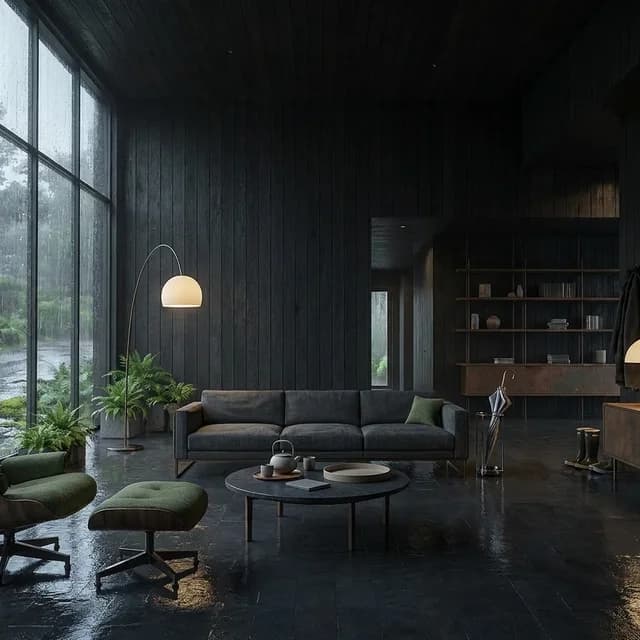
Monsoon Patina
Blackened timber, wet slate, oxidized metal, and moss-green textiles establish a complete monsoon material language. Grey stormlight and streaming rain deepen the patina while warm lamps preserve a sense of shelter.
Global · Contemporary · Stormlight
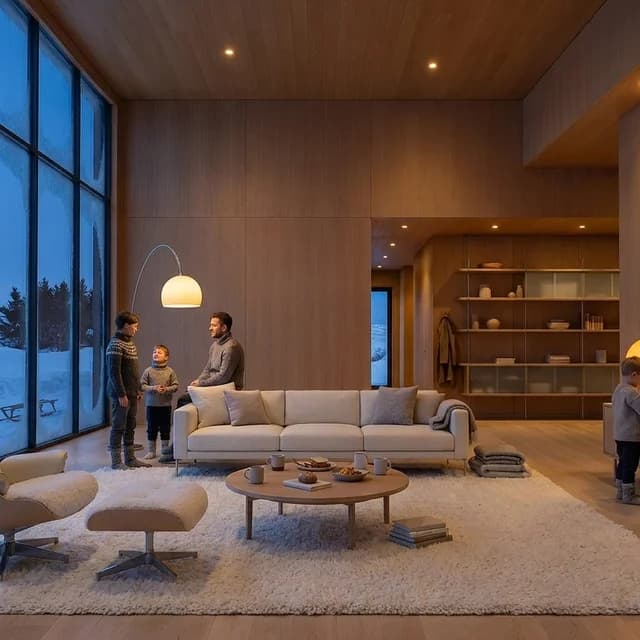
Polar Blue Hour
Pale oak, white wool, frosted glass, and compact furniture provide a complete Circumpolar furnishing language. Cobalt dusk and snow are balanced by small amber lamps and close, practical signs of occupation.
Circumpolar · Contemporary · Blue hour
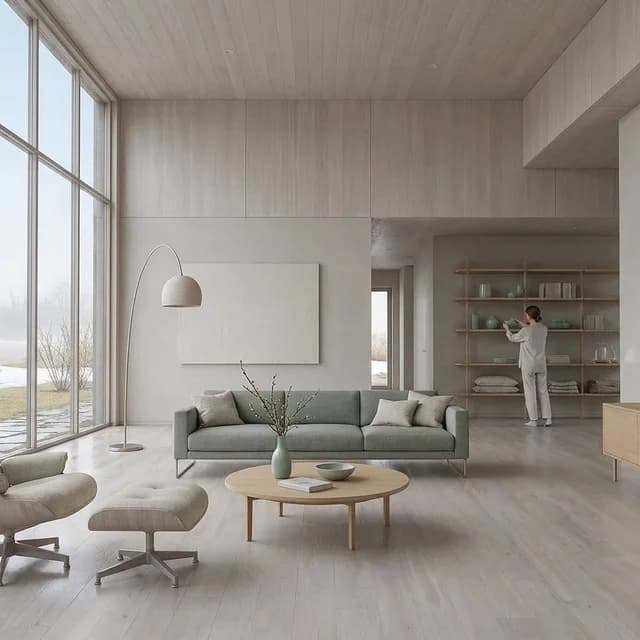
Spring Thaw
Washed pale wood, wet stone, celadon, and budding branches form a restrained material language for early spring. Cool dawn mist and thawing ground make renewal visible without turning the scene lush or sentimental.
Global · Contemporary · Dawn
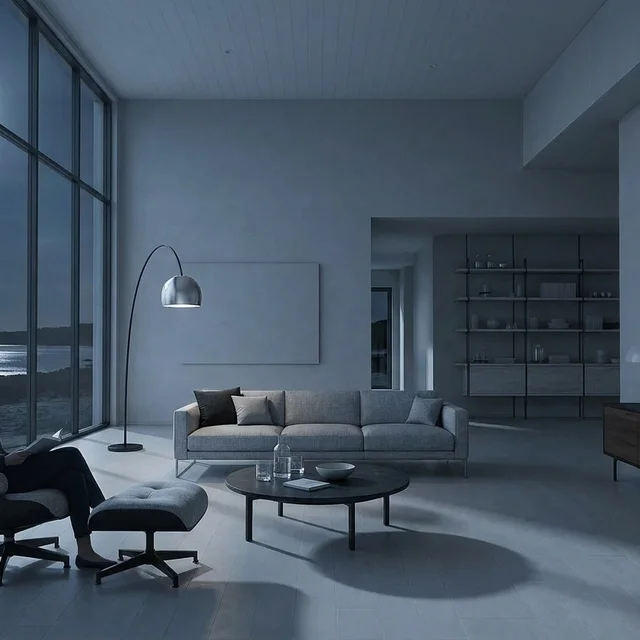
Moonlit Monochrome
Pale stone, blackened metal, and silver-grey textiles form a strict monochrome environment. Cool moonlight and long silver reflections create a still nocturne without neon, warm accents, or theatrical darkness.
Global · Contemporary · Night
From the Atlas to your project
Found the look. Put it to work.
All 62 styles are built into CAD Scene as presets. Upload a 3D scene screenshot, choose a preset, and adjust it for your project.
Your first renders are free. No credit card.
Go deeper
- AI architectural rendering guide — how inputs, modes, and review checks fit around style choice.
- Types of architectural rendering — the taxonomy: photoreal, conceptual, section, interior, and more.
- Interior rendering styles — technique and design language for rooms, separated properly.
- Style from a photo — match a reference look instead of picking a preset.
What is an architectural rendering style?
A rendering style is the look and mood of the image: light, palette, materials, and finish. The geometry stays the same; the style changes how it reads.
Why show every style on the same scene?
Because it isolates the style. When the camera and building never change, the difference you see is the style itself, not the project.
How do I choose a style for a project?
Start from the stage and the audience. Soft and conceptual looks suit early reviews; photoreal daylight suits final boards. Our styles guide covers the decision in depth.
Can I use these styles on my own scene?
Yes. All of them are built into CAD Scene as presets. Upload a screenshot of your scene, pick a preset, and adjust any of its five fields.
Related tools
Continue the same architecture task without re-entering the brief.
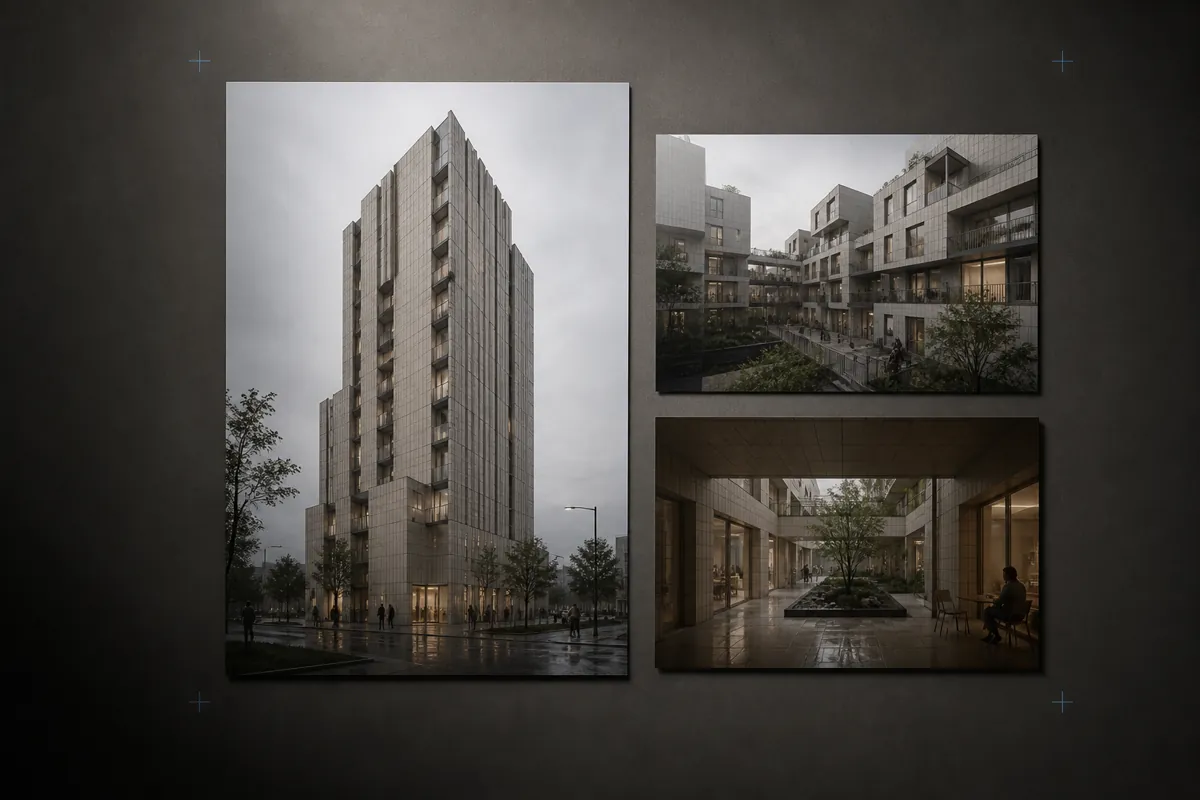
Architecture Prompt Library
Browse reviewed architecture render prompts by source, program, place, light, and material.
Open tool →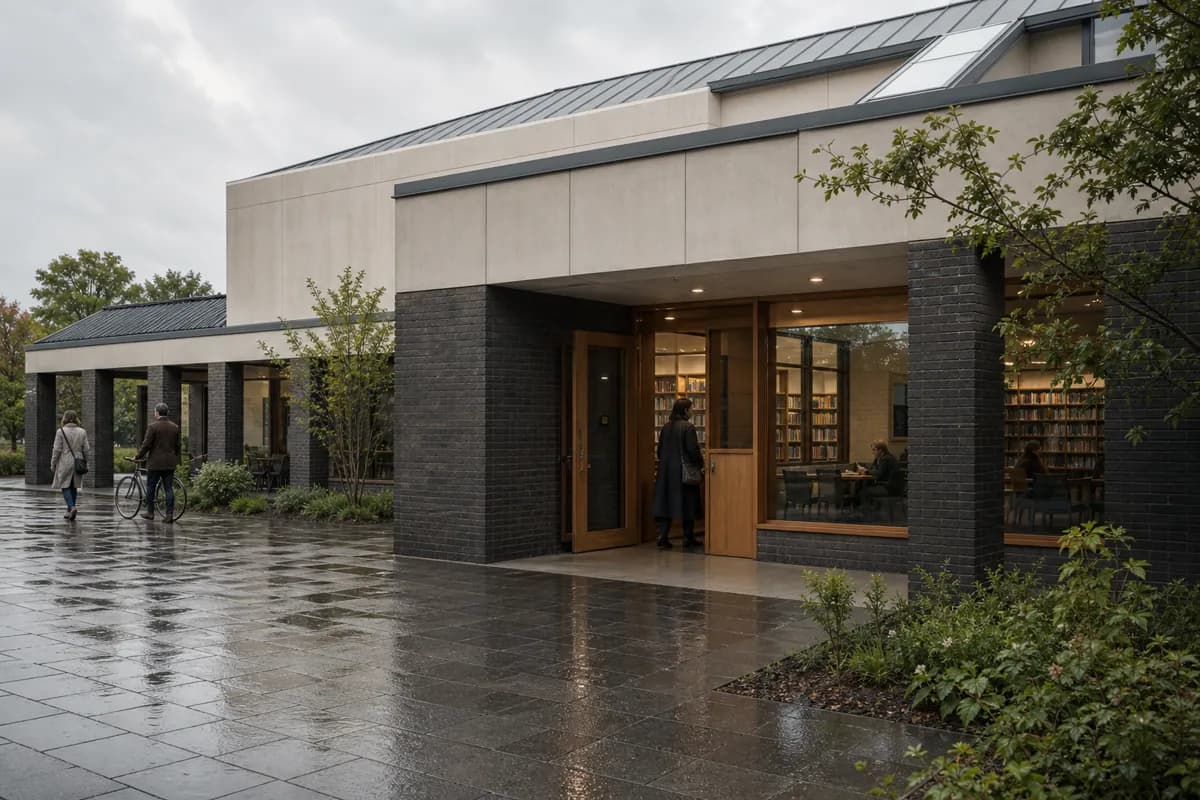
Architecture Render Prompt Builder
Build a render brief through guided checkpoints, then optionally refine it with AI.
Open tool →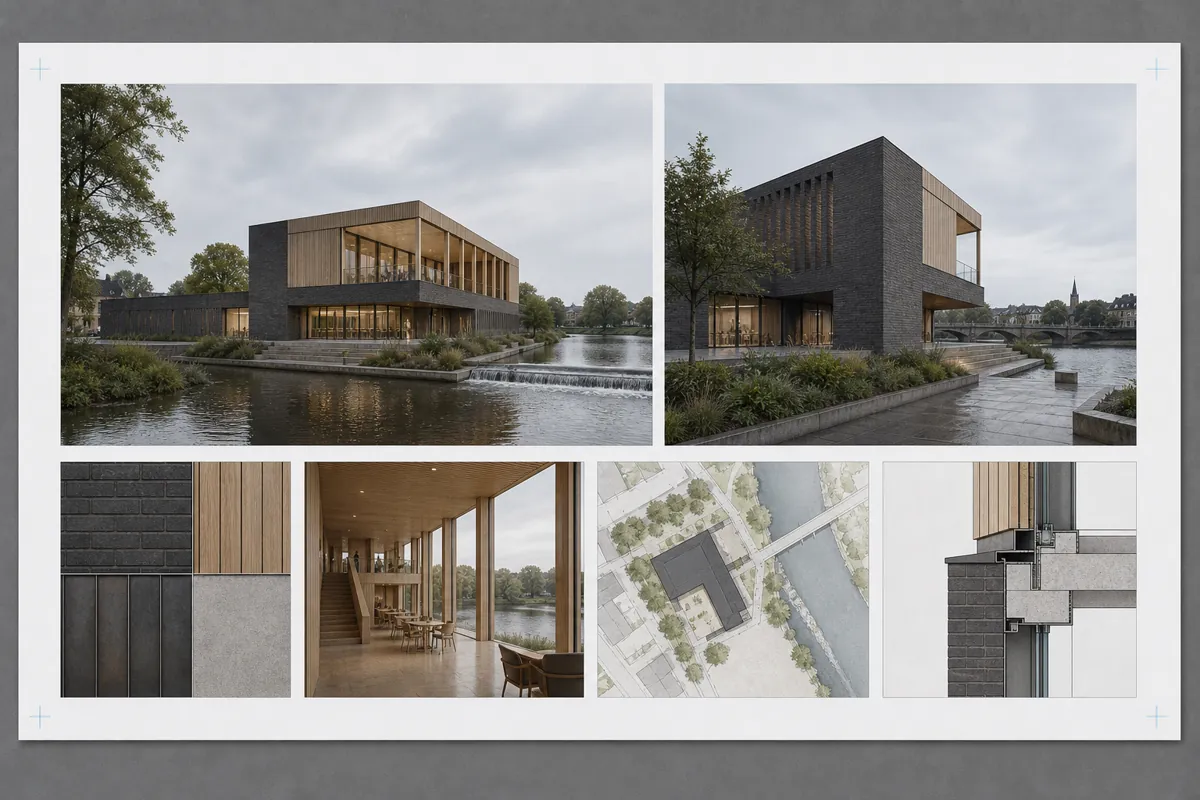
Client Presentation Board Planner
Plan the hierarchy, views, image slots, text, and exports for an architecture presentation board.
Open tool →